Best Cricket Player Management Software: What to Look For Before You Choose
How to choose the best cricket player management software: registration, one profile per player, stats from every ball, attendance and selection.
Best Cricket Player Management Software | Crickslab
How to choose the best cricket player management software
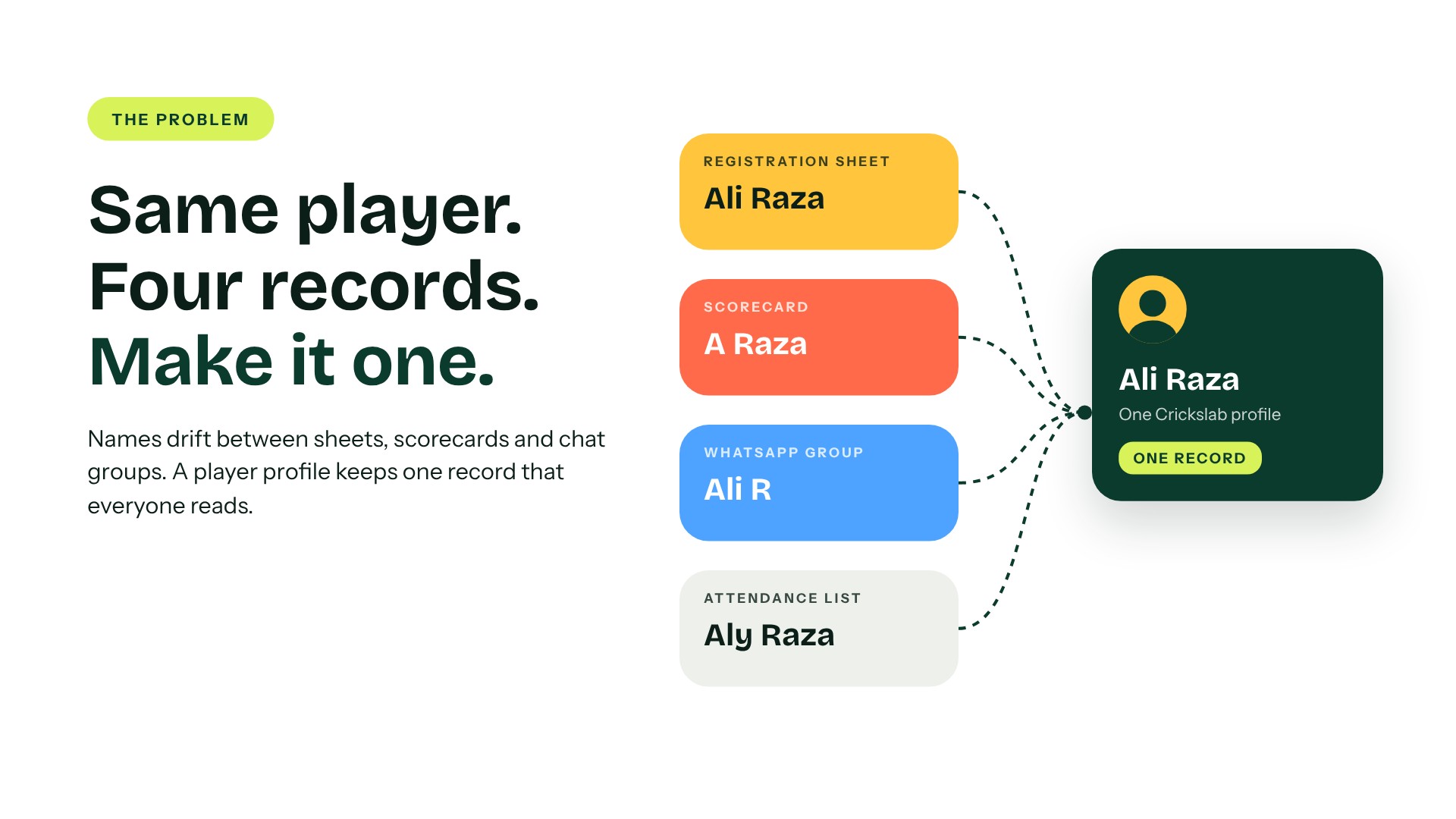
Ali Raza is on the club’s registration sheet. He is “A Raza” on last week’s scorecard, “Ali R” in the WhatsApp group, and missing from the academy attendance list because the coach spelt it “Aly”.
Same player. Four records. None of them knows about the others.
That is the problem cricket player management software solves. One player, one record, from the first net session to the final, and everyone who needs it reads the same one. This guide explains what the best cricket player management software should do for an academy, a club, a league or an association, what to check before you choose, and how Crickslab does each part.
What Is Cricket Player Management Software?
It is the system that holds everything about your players in one place: who they are, which teams they play for, what they have scored and taken, whether they turned up to training, and whether their fees are paid.
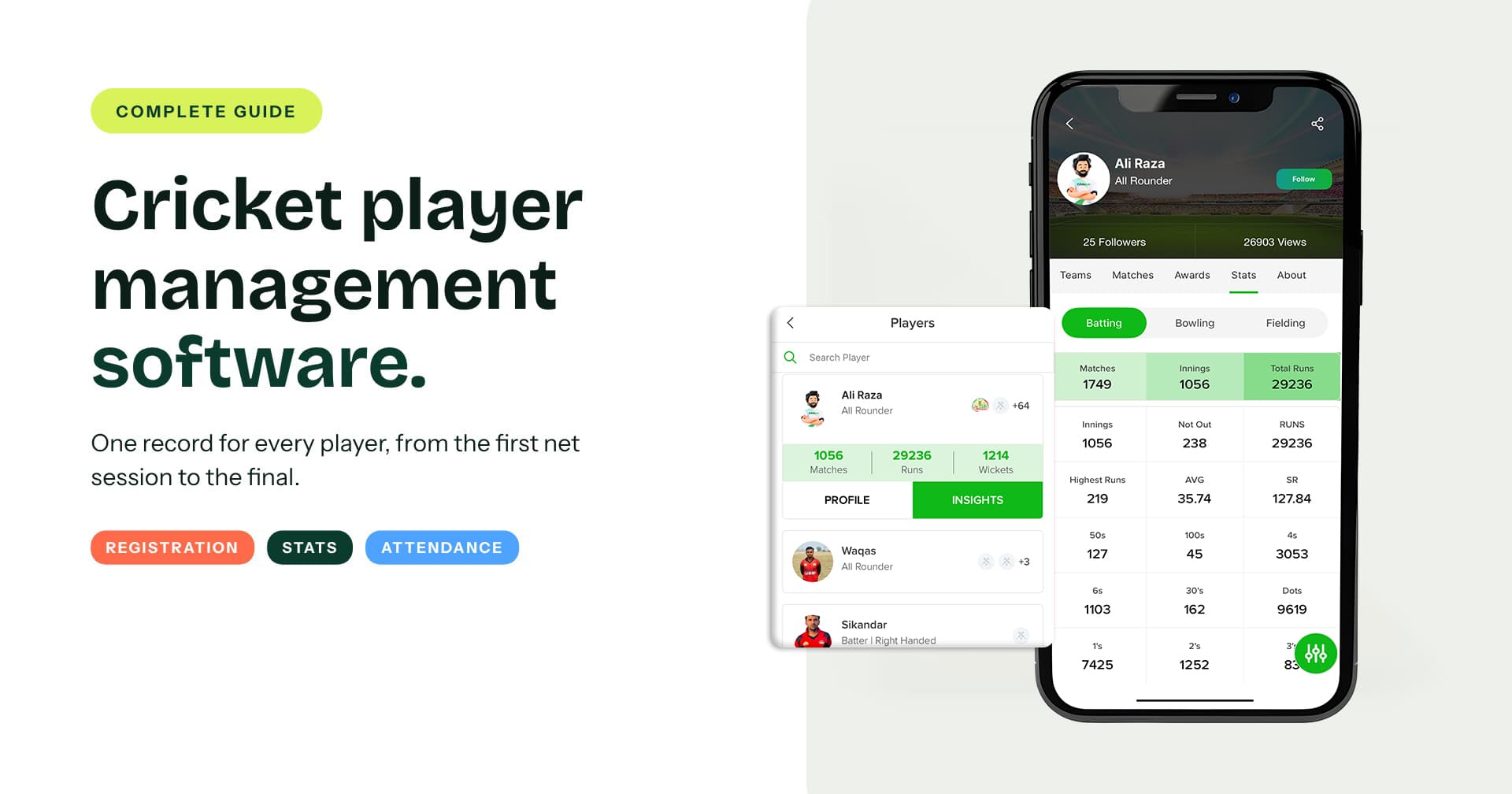
The difference from a spreadsheet is that the record keeps itself up to date. On Crickslab, a player is registered once, and from then on every match scored and every session marked adds to that same profile. Nobody types a name twice.
Why Spreadsheets And WhatsApp Groups Stop Working
A spreadsheet works for one team in one season. It breaks the moment you have three age groups, two competitions and a coach who keeps attendance on paper.
Names drift. Stats live in scorebooks nobody collects. Selection happens from memory, which means the loudest player in the nets gets picked over the one who quietly made 40 every week. And when a player moves up from under 15s to the senior side, his record stays behind.
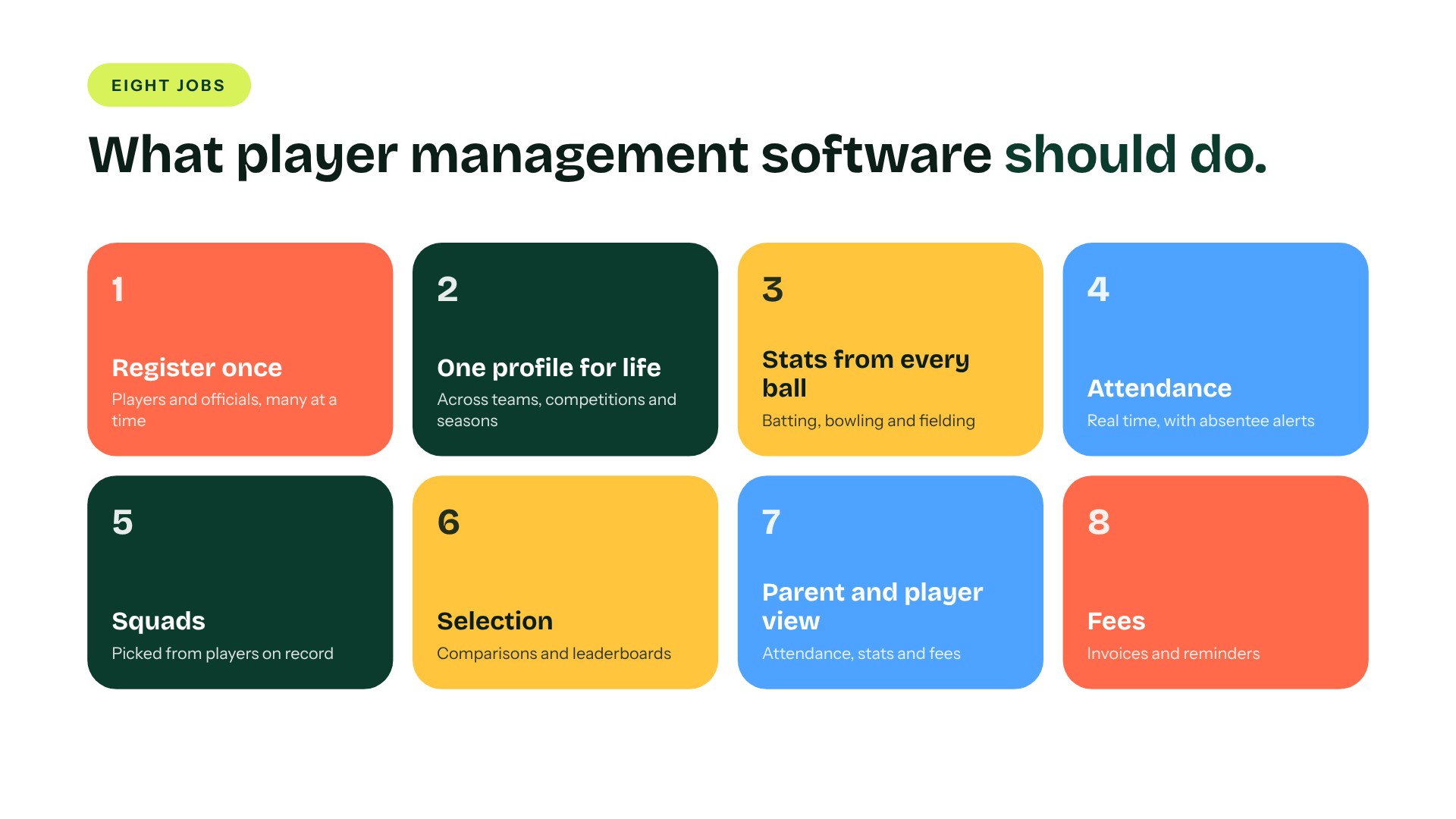
Eight Jobs Player Management Software Should Do
Here is the list to hold any system to, and how Crickslab handles each one.
1. Register players once
Players and officials are registered on Crickslab once, and you can onboard many at a time instead of one form after another. The name, photo and details entered here are the ones that appear on every scorecard, poster and stats page after that.
2. Keep one profile for life
Every player gets a player profile that follows them across matches, teams, competitions and seasons. When a junior moves up an age group or joins a new club competition, the record goes with them.
3. Let the stats write themselves
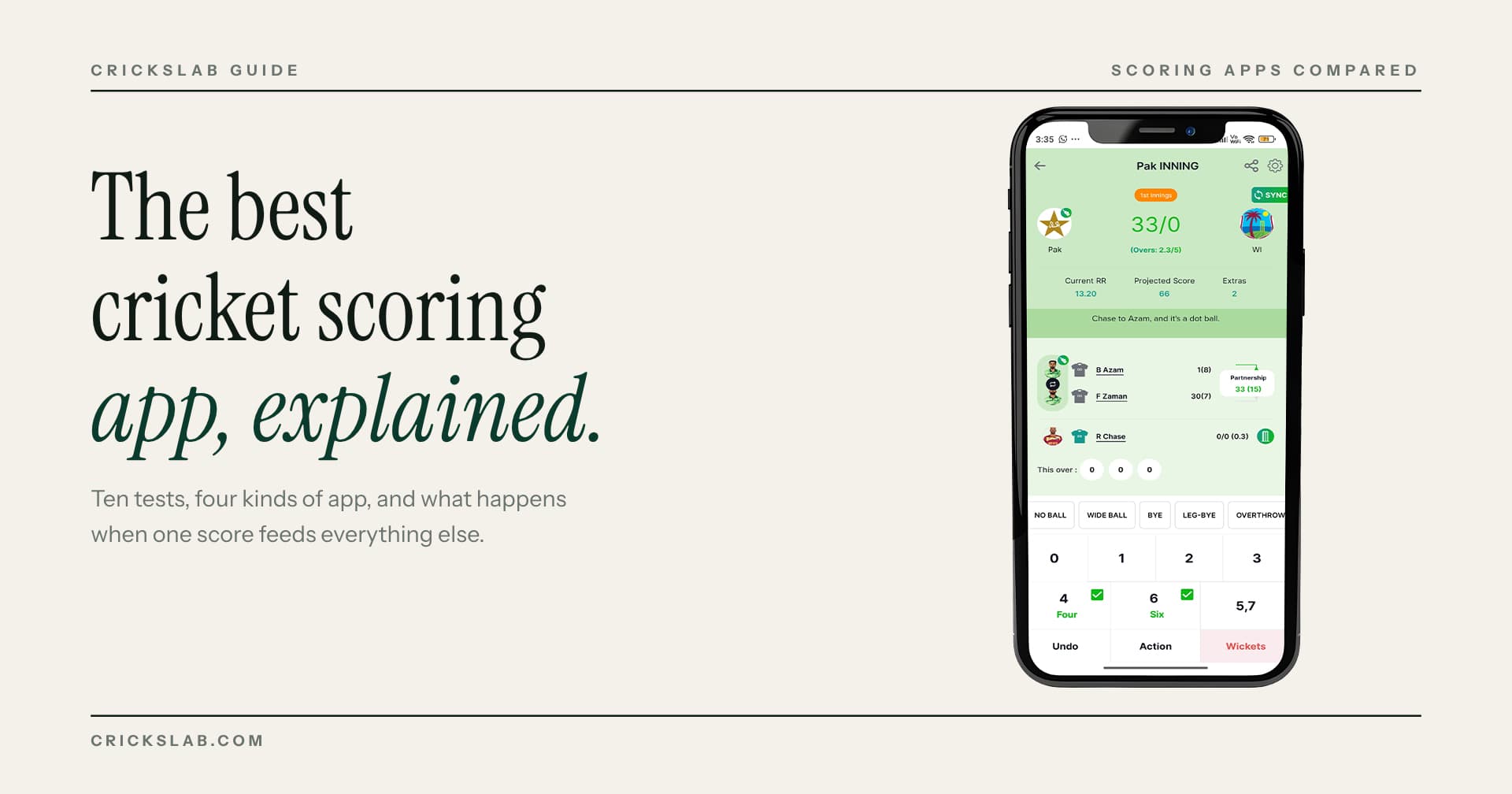
You never enter stats by hand. Every ball scored in the free Crickslab app adds to the profile: batting, bowling and fielding, match by match and across a career. Our guide to the best cricket scoring app explains why ball by ball scoring is what makes this work.
4. Track attendance
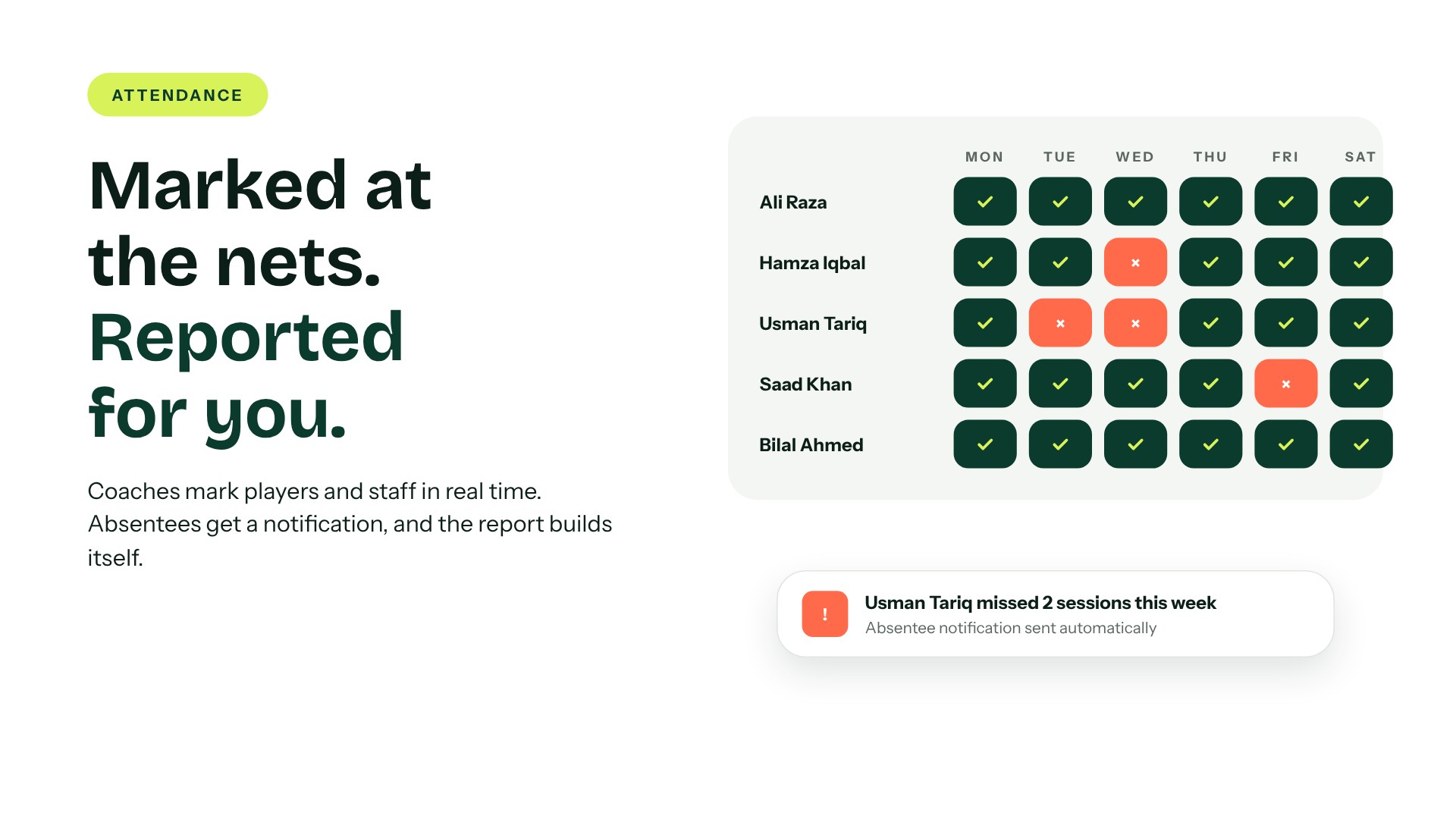
Coaches mark player and staff attendance in real time. Crickslab sends automatic notifications for absentees and builds attendance reports, so a parent conversation about missed sessions starts with facts.
5. Build squads for every competition
When a team enters a competition, the captain or club adds the squad from players already on record. The same names flow into fixtures, scorecards and the points table. Our guide on how to organise a cricket tournament shows how that fits into a full season.
6. Pick teams with evidence
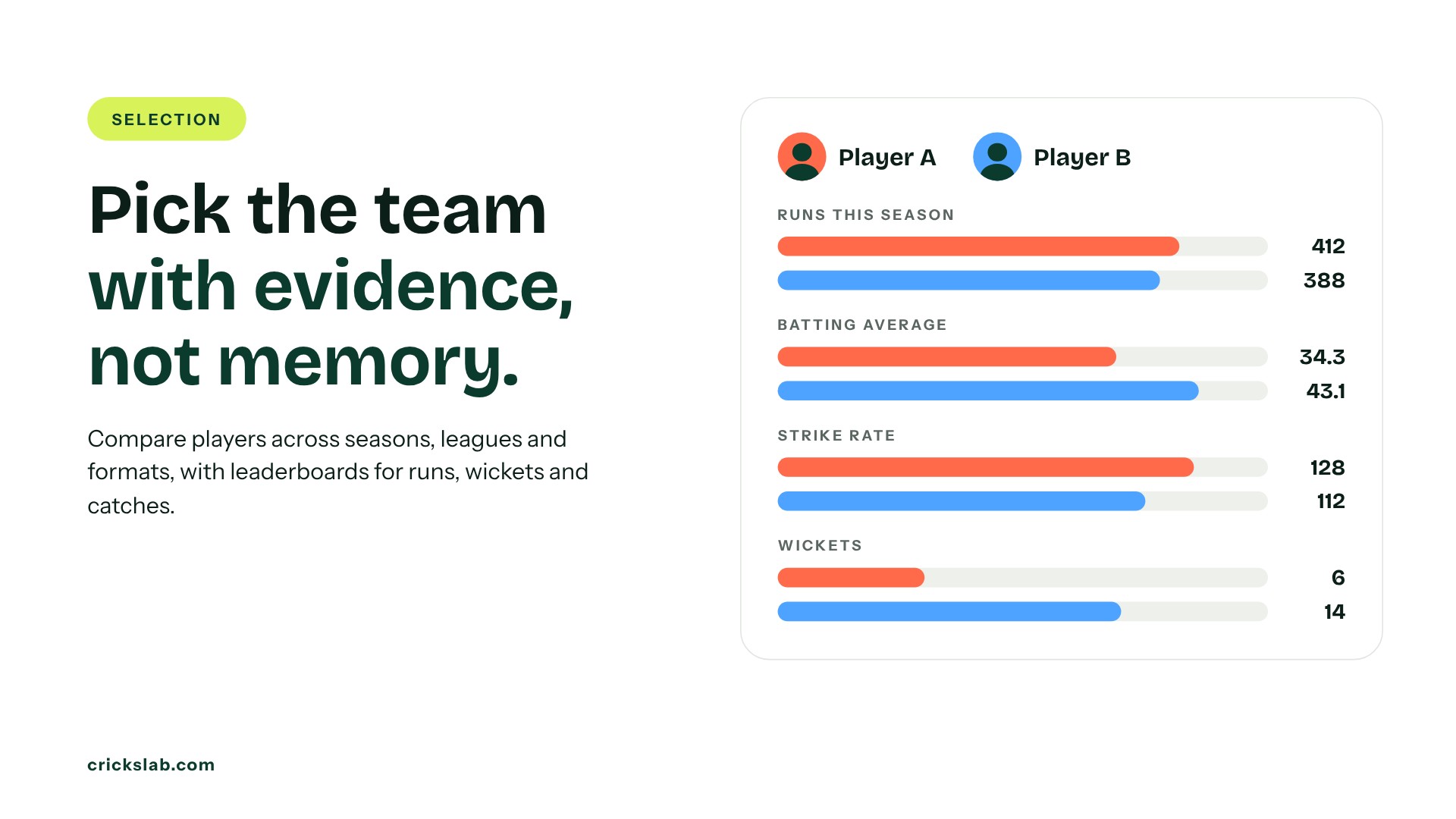
Selection is where good player data pays for itself. Crickslab’s comparison tools put players side by side across seasons, leagues and formats. Rankings and leaderboards show the top run scorers, wicket takers and fielders, filtered by league, season or match type, and wagon wheels and heatmaps show where a batter actually scores.
7. Show players and parents their own record
In a Crickslab academy, parents see attendance, stats and fee status in the parent app. Players see their own profile grow. That visibility is often what keeps a family with an academy for another year.
8. Collect fees without chasing
For academies, fee collection, invoicing and reminders run in the same system as the players, so the coach is not also the debt collector.
Who Uses Cricket Player Management Software
The need is the same at every level. What changes is the number of players and how many teams share the record.
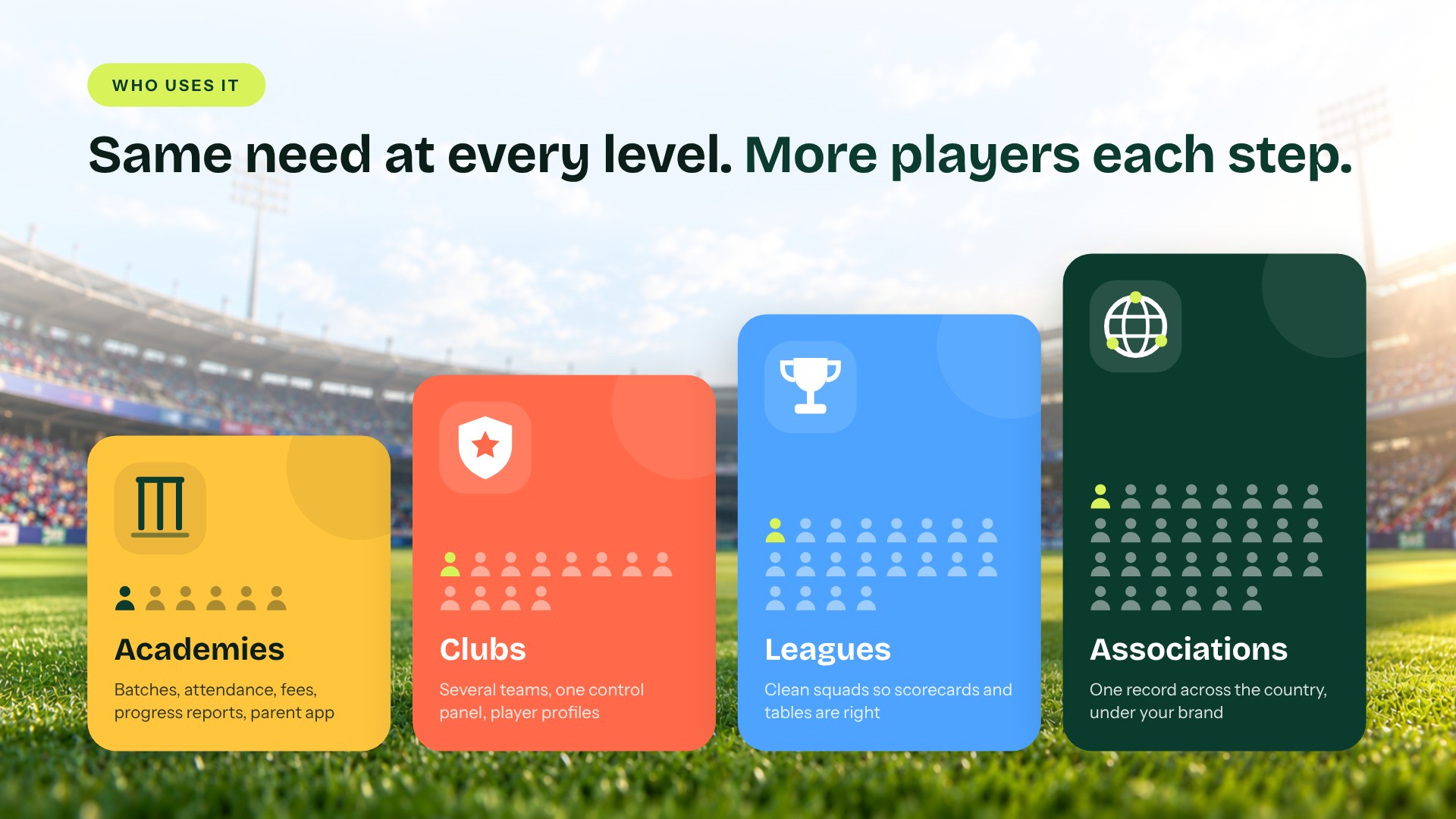
Academies use it for registration, batches, attendance, fees, progress reports and the parent app. See academy management.
Clubs run several teams, often several clubs, from one control panel, with player profiles, attendance and performance analytics. See club management.
Leagues need clean squads for every team so scorecards, tables and leaderboards are right. See tournament management.
Associations need one player record across every club and competition in the country, under their own brand. See the association platform. Kuwait Cricket runs its competitions this way; read how Kuwait Cricket Club went digital.
How To Move Your Players Onto Crickslab
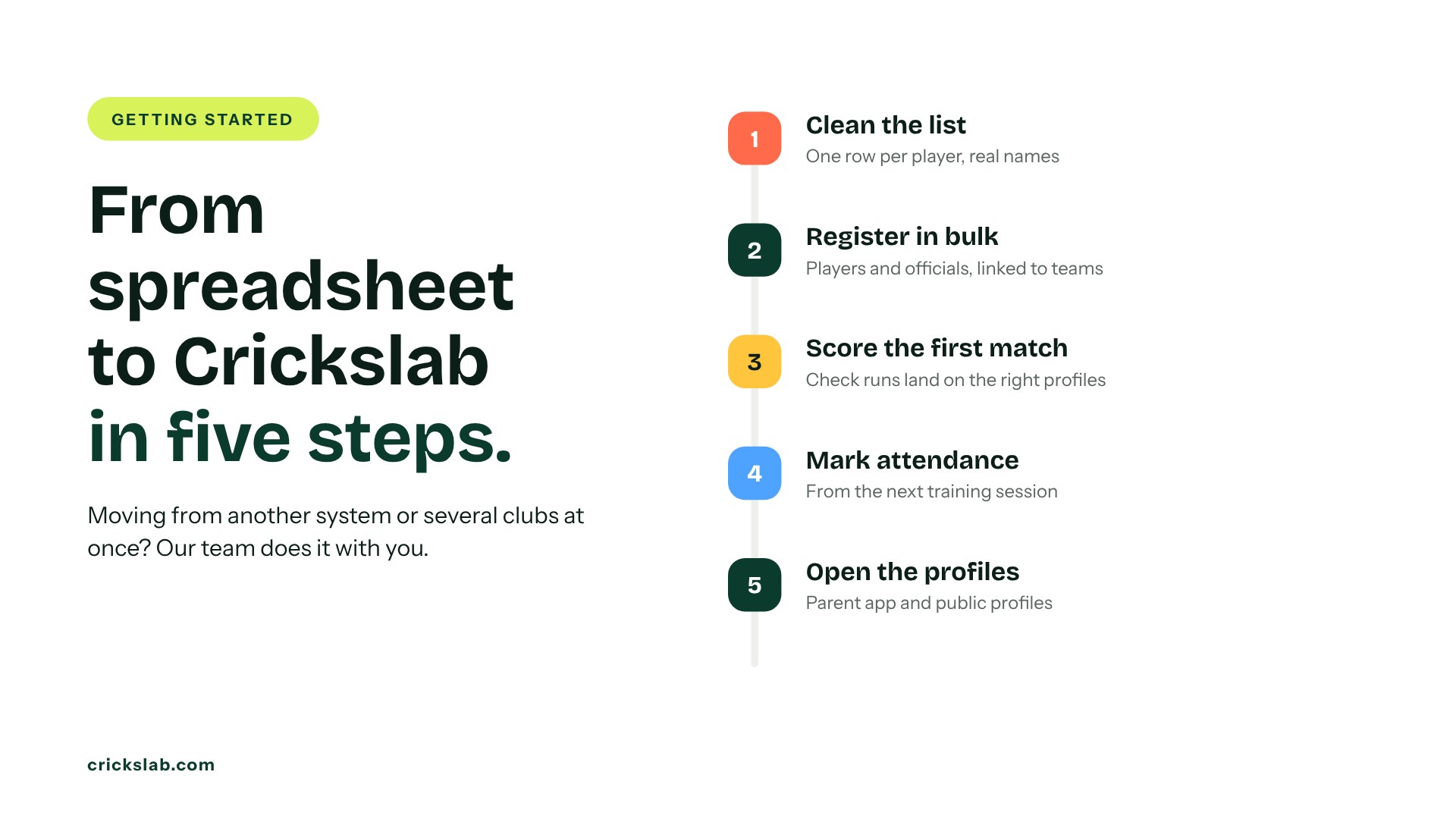
Most clubs and academies start with a spreadsheet, and that is fine.
- Clean the list. One row per player, real names spelt the way they should appear on a scorecard.
- Register players and officials in bulk, and link each player to their team or batch.
- Score the first match in the app, and check that the runs and wickets land on the right profiles.
- Start marking attendance at training.
- Open the parent app or the public profiles once the records look right.
Moving from another system, or bringing several clubs across at once, is part of the custom plan, and our team does it with you.
How To Choose The Best Cricket Player Management Software
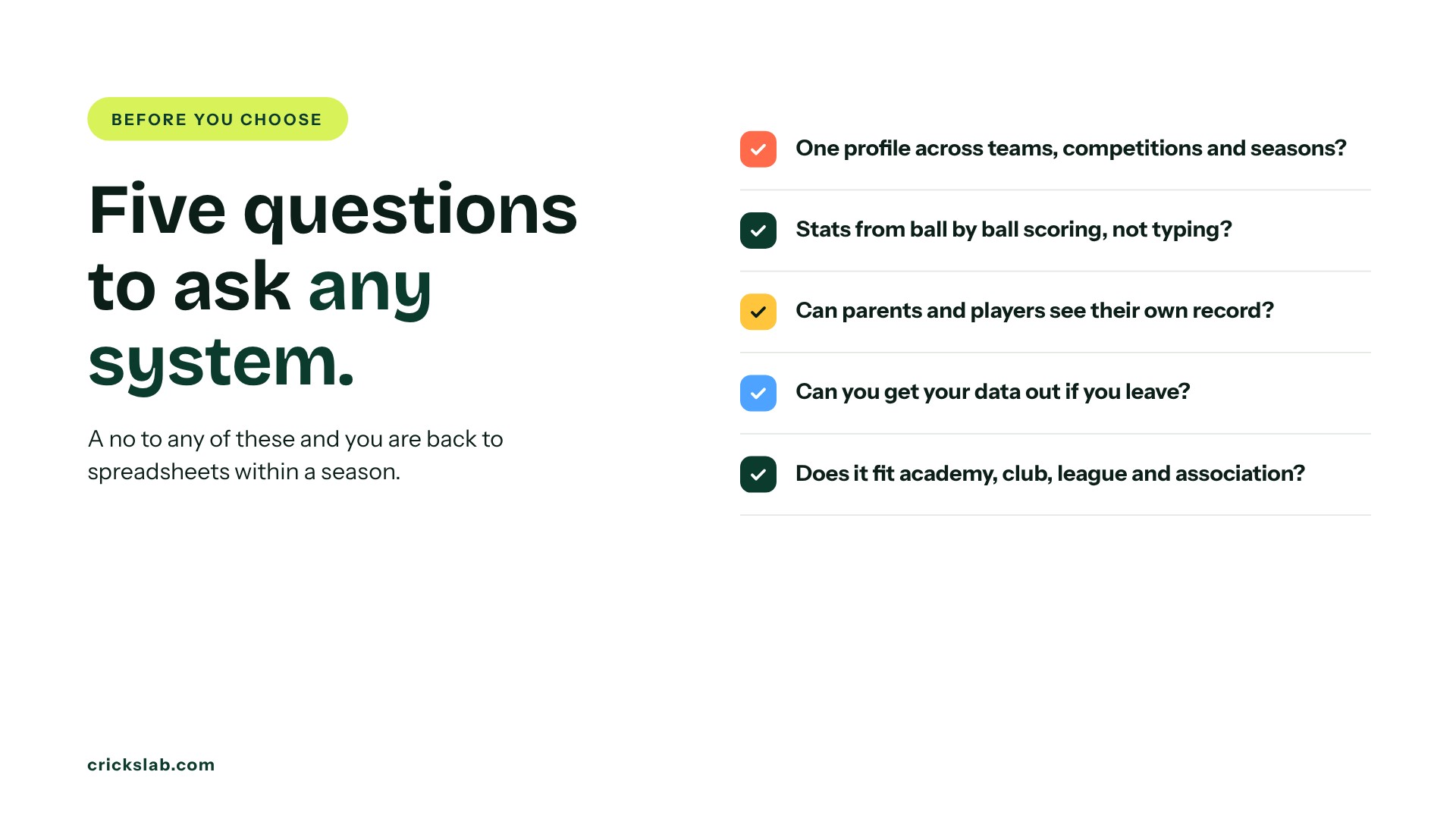
Ask any system these five questions. Does a player keep one profile across teams, competitions and seasons? Do stats come from ball by ball scoring, or does someone type them in? Can parents and players see their own record? Can you get your data out if you leave? And does it work for the whole structure you run, from one academy batch to a full association?
If the answer to any of these is no, you will be back to spreadsheets within a season.
Send us your player list and we will show you your own players on Crickslab, with profiles, attendance and stats in one place. Book a demo.
Frequently asked questions
What is cricket player management software?
It is a system that keeps every player’s registration, profile, stats, attendance, squads and fees in one record. On Crickslab, a player is registered once, and every match scored and every training session marked adds to the same profile.
Do I have to enter player stats by hand?
No. On Crickslab, stats come from ball by ball scoring in the free app. Batting, bowling and fielding figures update on the player’s profile when the match is scored, match by match and across a career.
Can parents see their child’s progress?
Yes. In a Crickslab academy, parents see attendance, stats and fee status in the parent app.
Is cricket player management software only for big associations?
No. The same system works for a single academy batch, a club with several teams, a league or a national association. Plans are sized by the number of players, and you can see them on the pricing page.