Crickslab Artwork Studio Is Live
Artwork Studio turns match records into cricket posters, results, scorecards and awards, checks each one and posts it for you. Who it suits and what it costs.
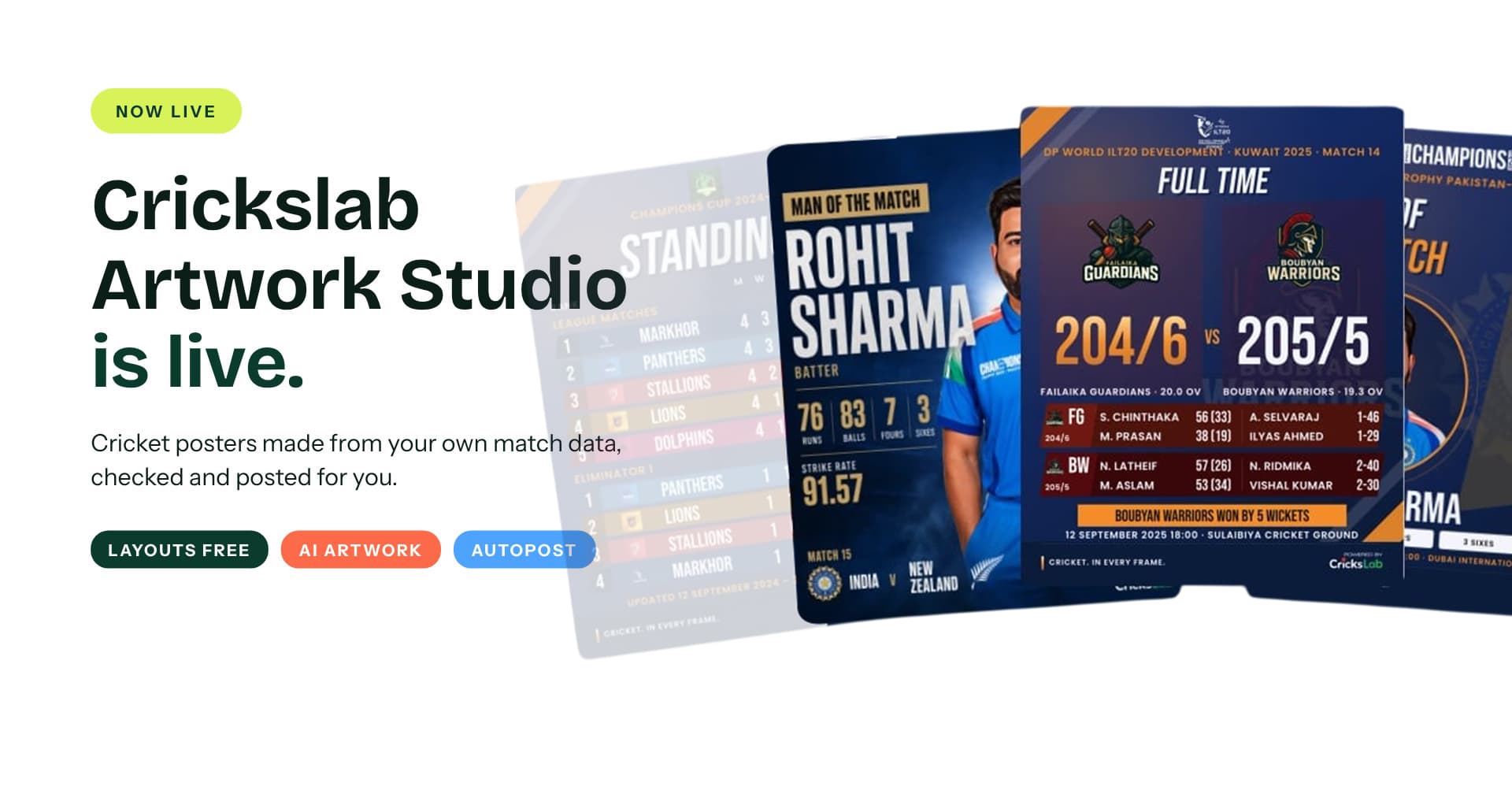
Cricket Poster Design Made from Your Own Match Data
Crickslab Artwork Studio Is Live
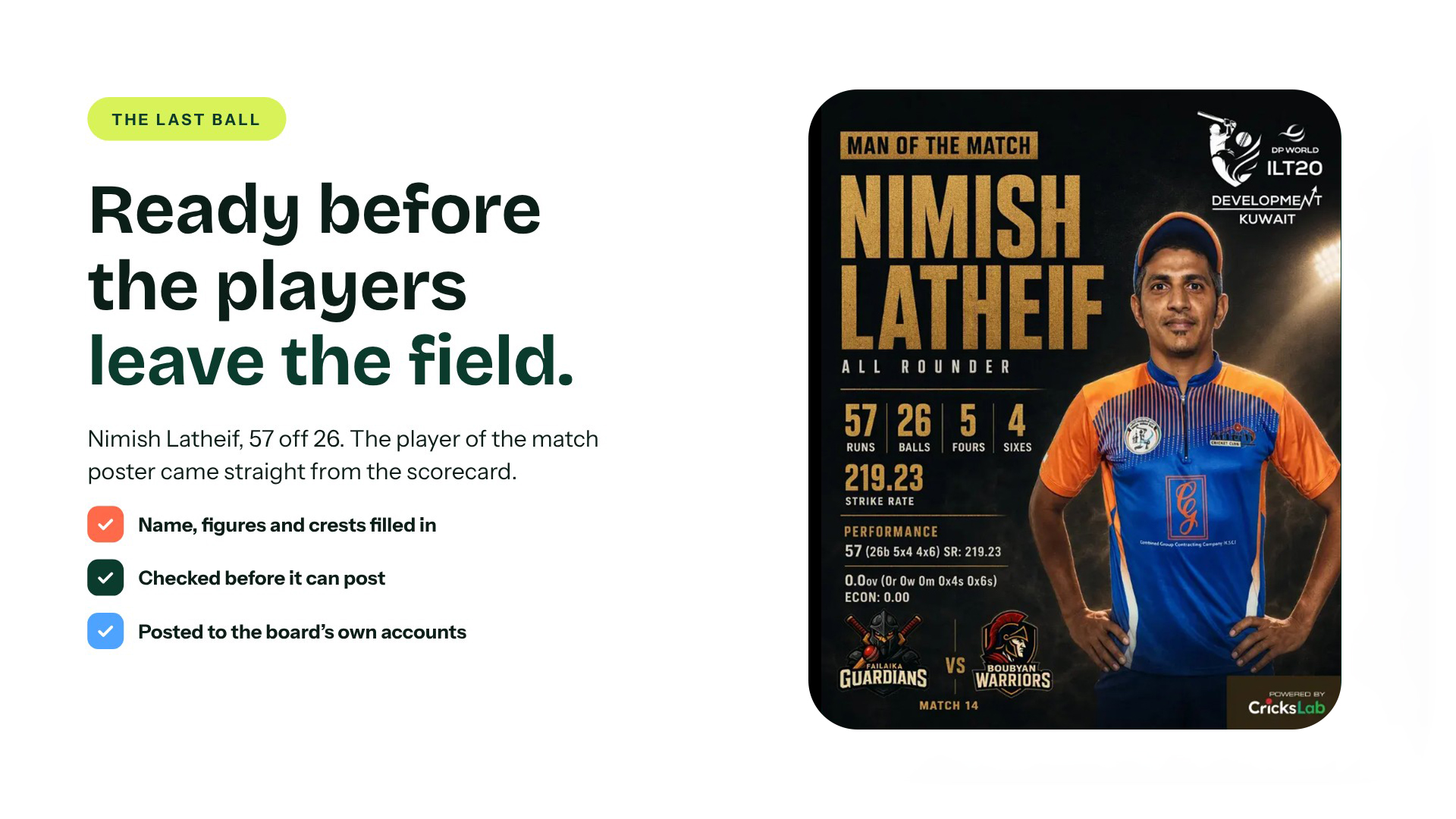
Boubyan Warriors chase down 204 with three balls to spare. Nimish Latheif makes 57 off 26 and is named player of the match.
On most cricket feeds, the poster for that match appears the next afternoon, after someone opens a template, types the names, checks the score twice and hopes the spelling holds. On Crickslab, it was ready at the last ball.
That is what Artwork Studio does, and it is now live for every league, board, club and academy on the platform. This post explains what it is, how cricket poster design works when the match record does the typing, and what it costs. Short version: the layouts are free, with no monthly limit.
What is Crickslab Artwork Studio?
Artwork Studio makes every post a cricket competition publishes, from the match day card to the champions poster, straight from the competition’s own records on Crickslab. The score, the squad, the crests and the player photos are already there, so the studio fills them in. It checks every post before it can go out, and on the plans that include Autopost, it publishes to Instagram, Facebook and X on its own.
It replaces three tools that used to be separate: Social Media Automation, Media Studio and the AI Artwork Studio. They are one product now, on the Artwork Studio page.
Two ways to do cricket poster design
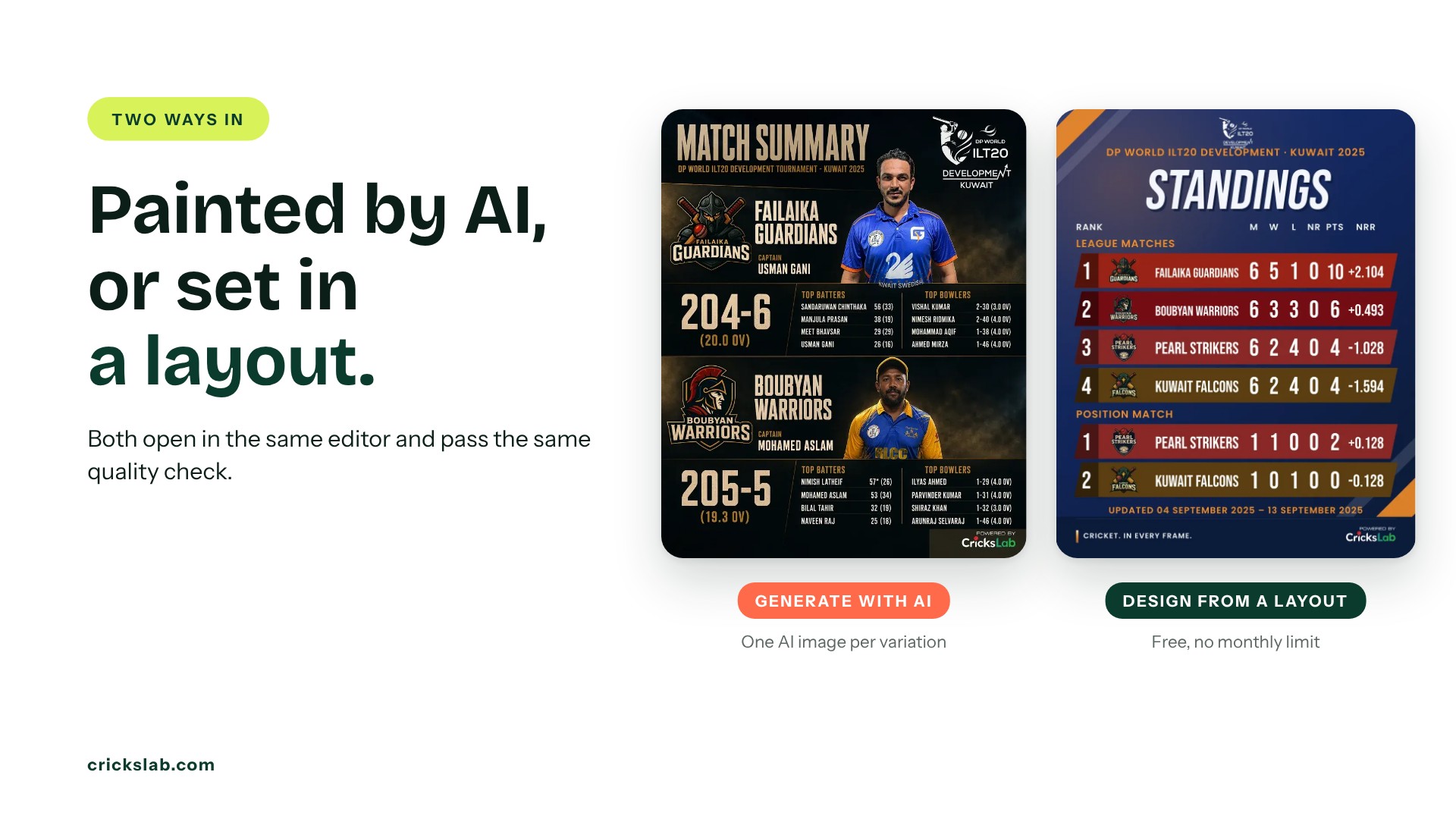
Generate with AI. The studio paints the player, the score and the crests into a scene nobody else will post. Ask for more variations or tell it what to change. Each variation uses one AI image from your plan.
Design from a layout. League grade layouts for results, squads, standings, scorecards, player and official posts. Pick a look, adjust the text and colour, and it is ready. Layouts are free on every plan with no monthly limit.
Both open in the same editor, land in the same Posts list and pass the same quality check. You can also start from a brief: write what the post is for in one sentence and the studio lays out a first draft.
From The Last Ball To The Feed In Five Steps
Pick the subject: a match, a competition, a player or an official. Pick the moment: result, player of the match, scorecard, leading scorers. Anything already posted is ticked, so nothing goes out twice. Choose the artwork, AI or a layout, as a post, a square or a story. The caption is written from the scorecard and checked against it, one per account. Then post now, schedule it, or send it for approval.
A media manager picks the match and the moment. The studio sets the names, the figures, the crests and the photos.
Cricket Poster Design For 25 Kinds Of Post
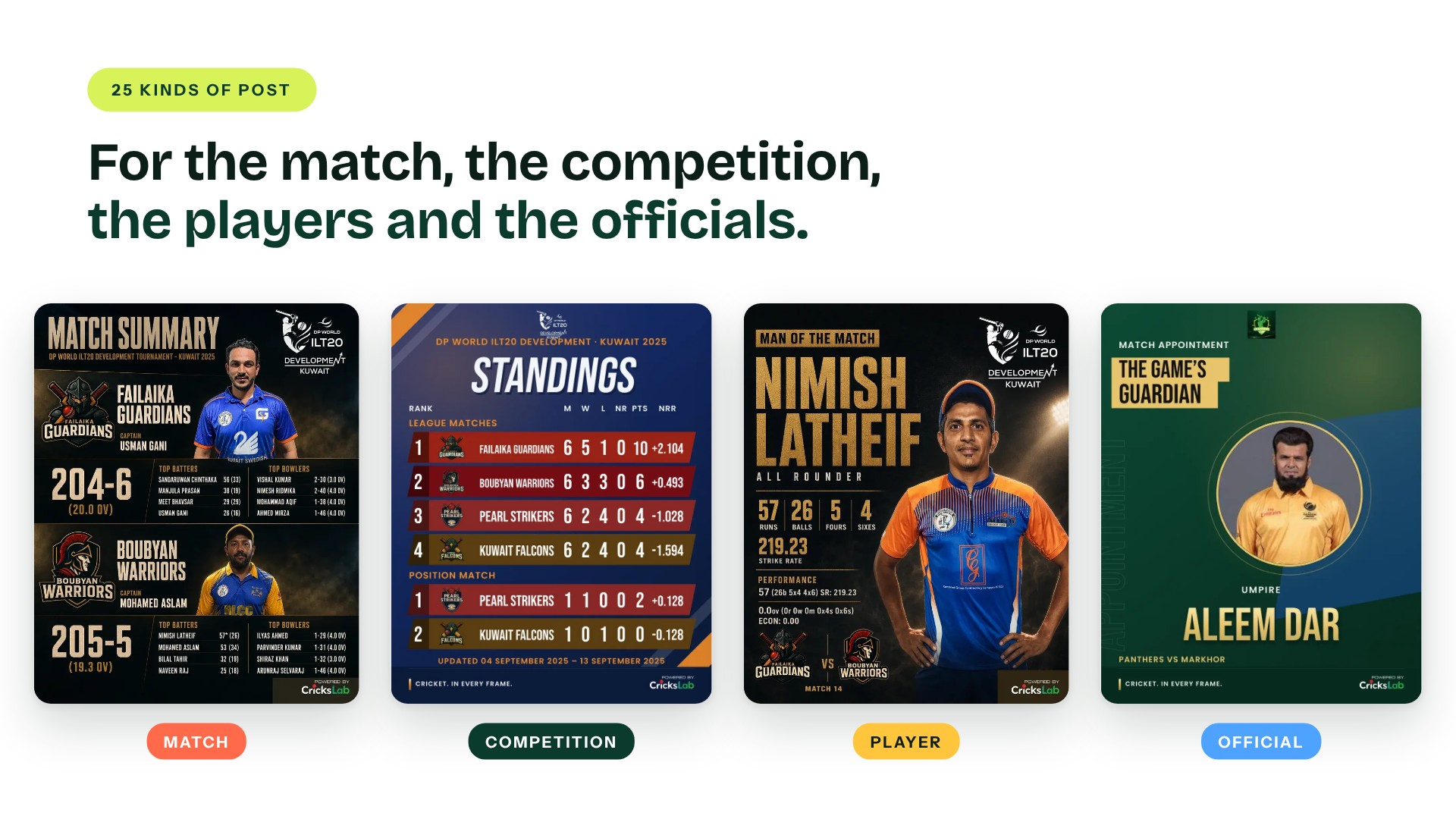
Match posts cover match day, playing XI, result, player of the match, match summary, innings cards, head to head and leading scorers. Competition posts cover the season launch, fixtures by round, points tables, most wins and champions. Player posts cover spotlights, milestones, birthdays, squad selection and awards. Officials get appointments, milestones, birthdays and recognition too.
One Poster, Six Looks
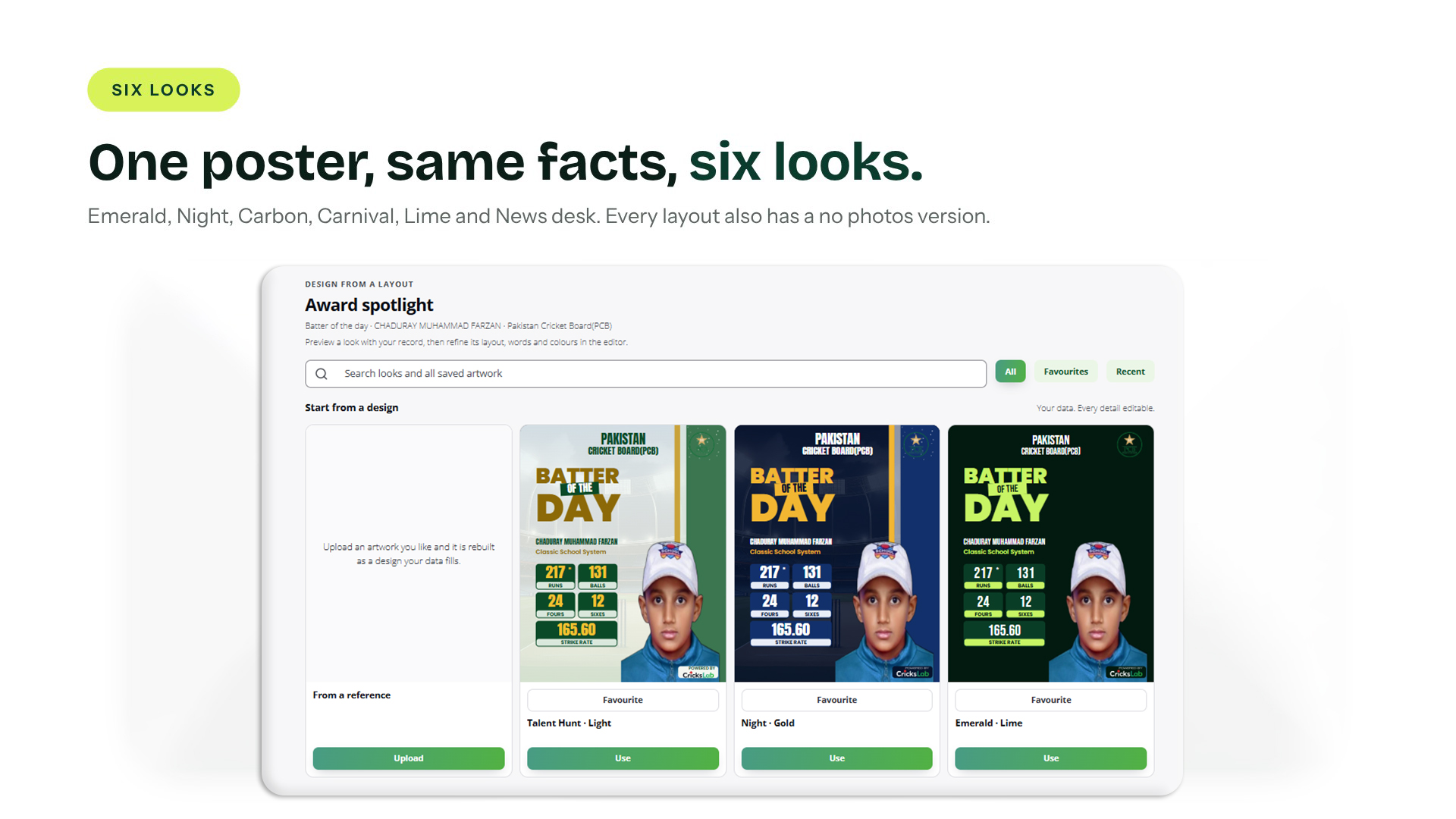
The same player of the match, the same facts, set six ways: Emerald, Night, Carbon, Carnival, Lime and News desk. Every layout also has a no photos version for the days the photos let you down.
An Editor That Already Knows The Match
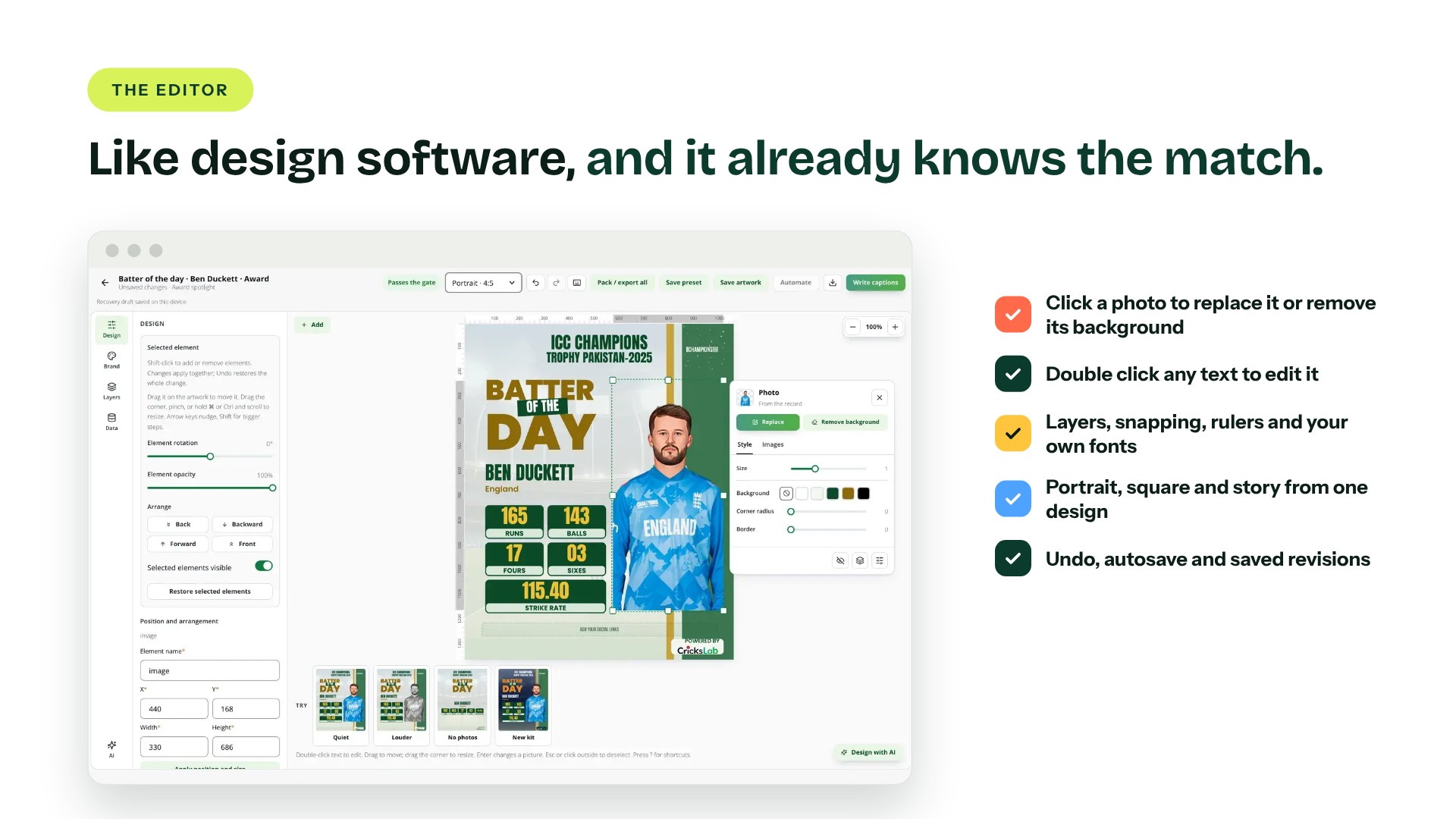
AI artwork and layouts open in the same editor, and it works the way design software does. Click any photo or crest to replace it, crop it or remove its background. Double click text to edit it. Layers, alignment, snapping, rulers, your own fonts, undo, autosave and saved revisions are all there. Turn a portrait into a square or a story and the design reflows; you compare it with the original before it is applied.
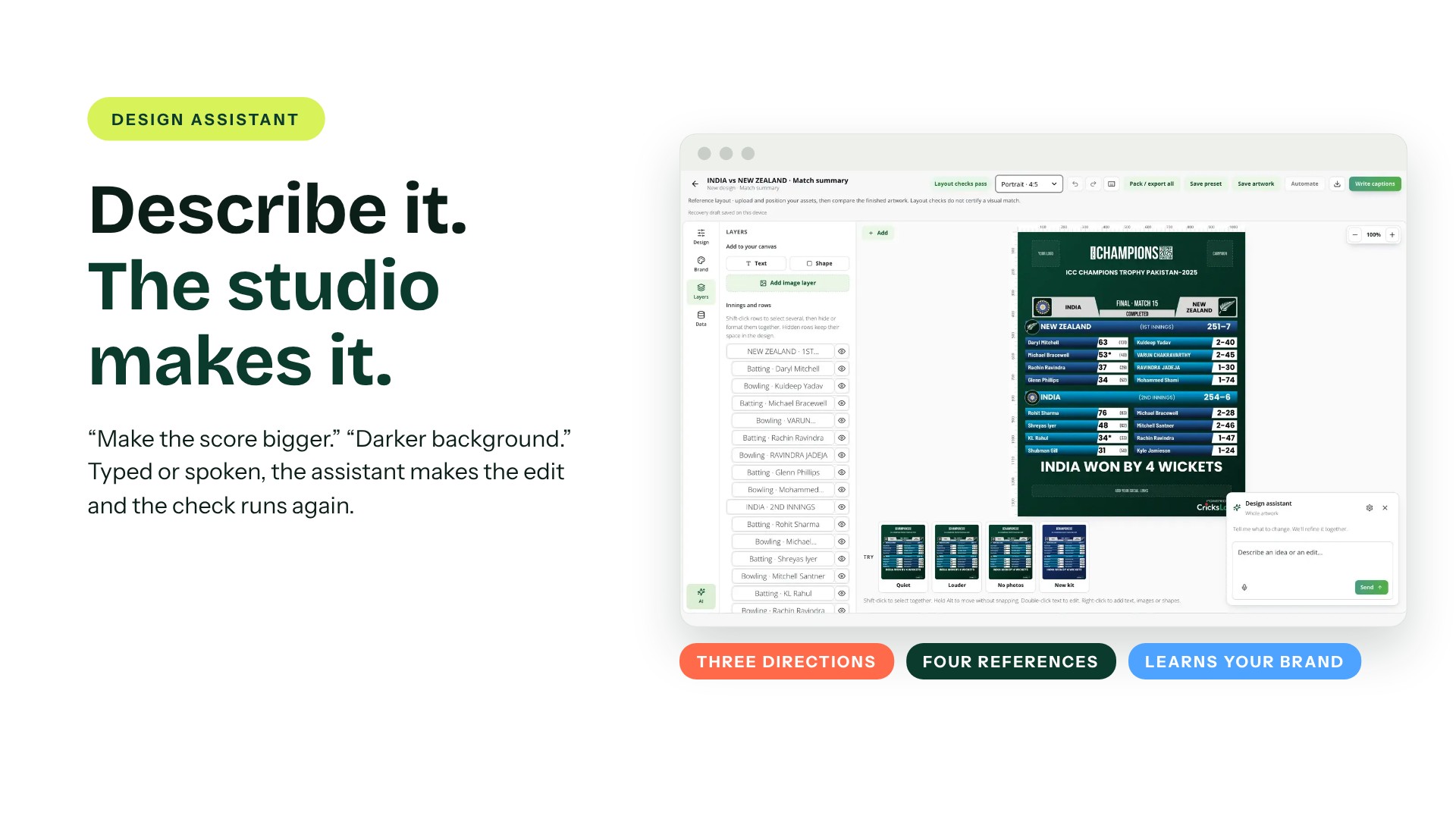
Beside the editor sits a design assistant. Say “make the score bigger” or “darker background”, typed or spoken, and it makes the change. It can offer three creative directions for one post and follow up to four reference artworks you upload. It only suggests. The quality check still decides what goes out.
Weak Artwork Never Posts
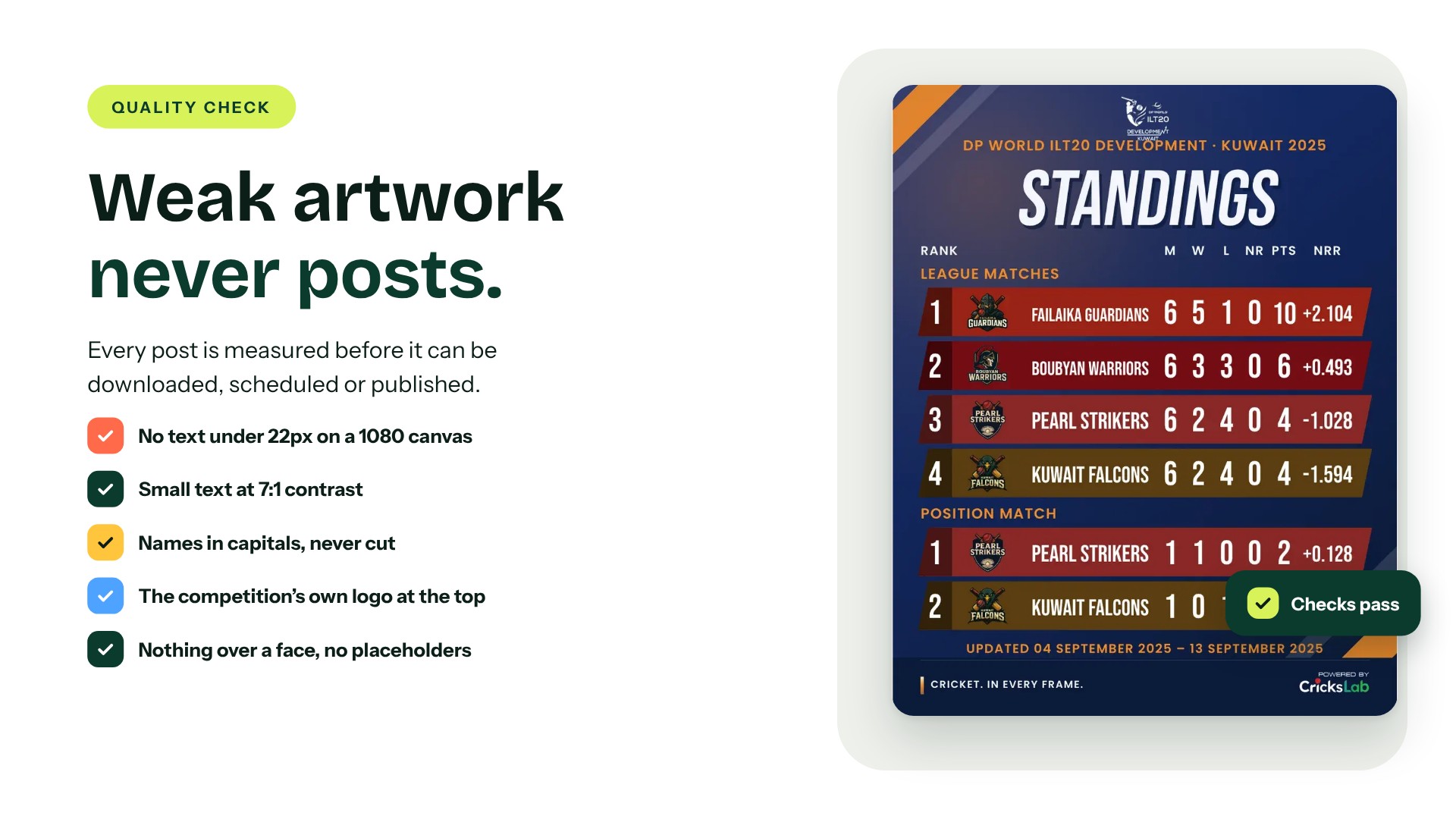
Every post is measured before it can be downloaded, scheduled or published. No text smaller than 22px on a 1080 canvas. Small text at 7:1 contrast. Names in capitals and shortened the way a scorecard would, never cut with an ellipsis. The competition’s own logo at the top, never a placeholder. Nothing over a face, nothing outside its card, and the event’s own date rather than today’s.
Most findings come with a fix. Press Fix, or Fix all, and the check runs again. A finding you are happy with can be accepted, and the reason is kept.
Player Of The Week, Straight From The Scorecards
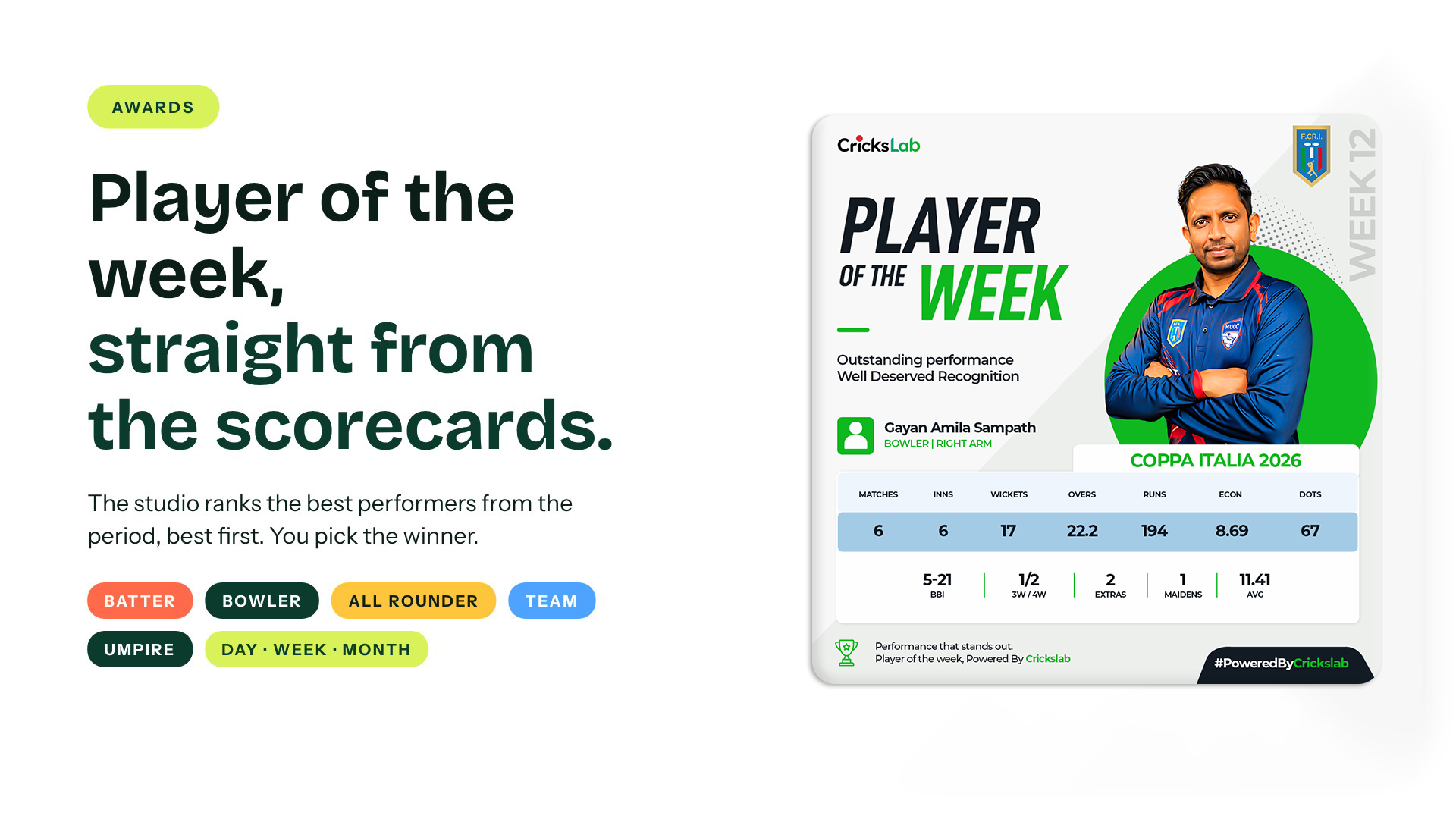
Pick the day, the week or the month. The studio ranks the best performers from that period’s scorecards, best first, with their figures. You choose the winner and the poster is made from their own numbers. Awards cover batter, bowler, all rounder, player, team and umpire, in one format or across all of them.
The Result Posts Itself
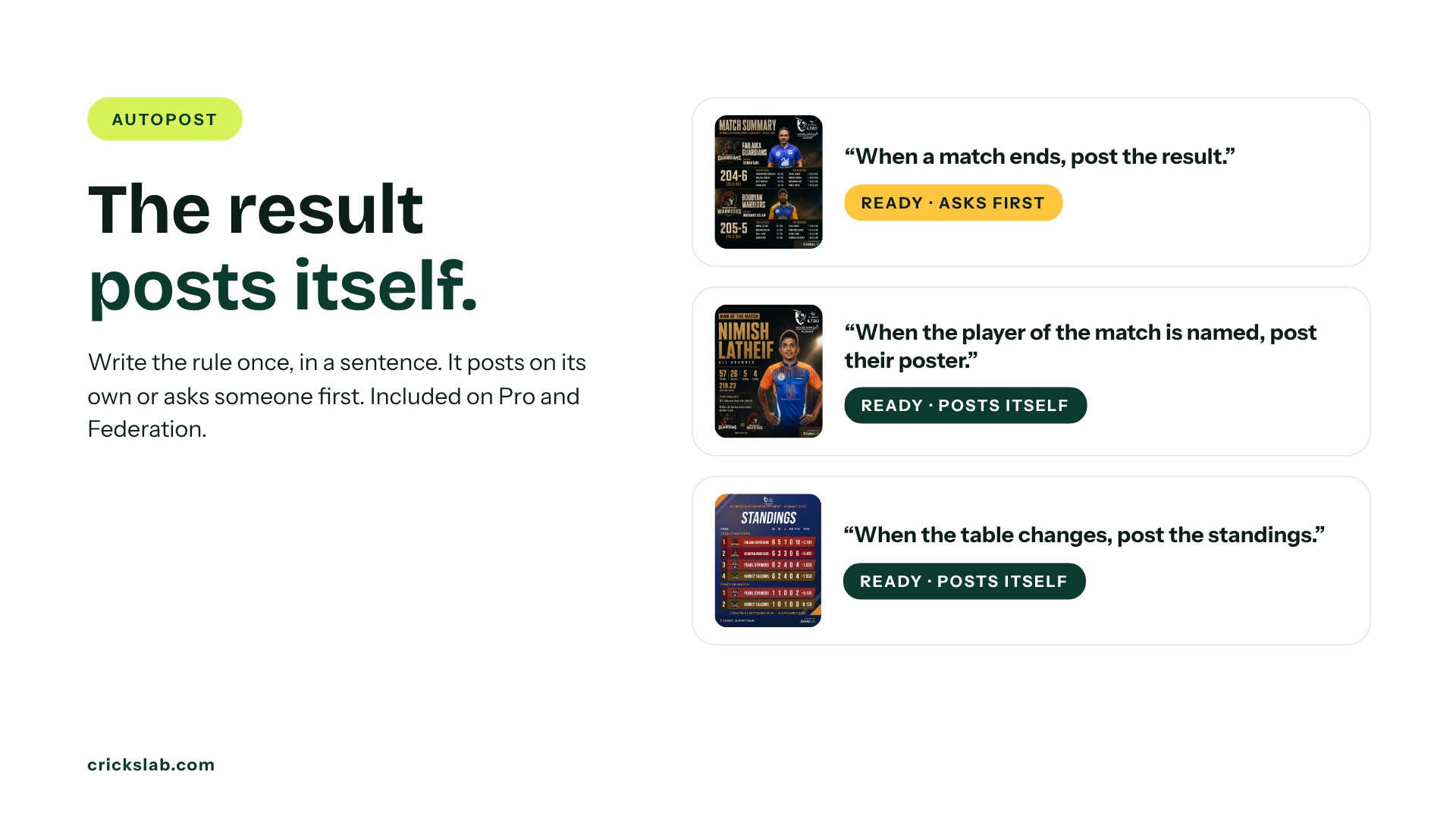
Write the rule once, in a sentence. “When a match ends, post the result to Instagram and Facebook.” “When the player of the match is named, post their poster to every account.” “On the morning of a match, post the match day card.” Each rule shows whether it is ready for the next match, posts itself or asks someone first, and keeps a history of every run with a retry. Birthdays are found and posted for you. Autopost is included on the Pro and Federation plans.
The whole season sits in one place as a list, a grid or a calendar, with review and approval per post and results per account.
Your Sponsors On Every Post, In Every Format
One brand band carries up to 24 sponsors, links on ten platforms and a hashtag on every layout and every format, so each post pays its way. Portrait for the feed, square, and story from one design. Boards running on Crickslab under their own name get artwork under their own name too: the competition’s logo heads every post and the Crickslab mark can be removed on plans that include it.
Who It Is For, And What It Costs
Designing from a layout is free on every plan. Plans add AI artwork, posts, social accounts, scheduling and Autopost. Prices are in US dollars.
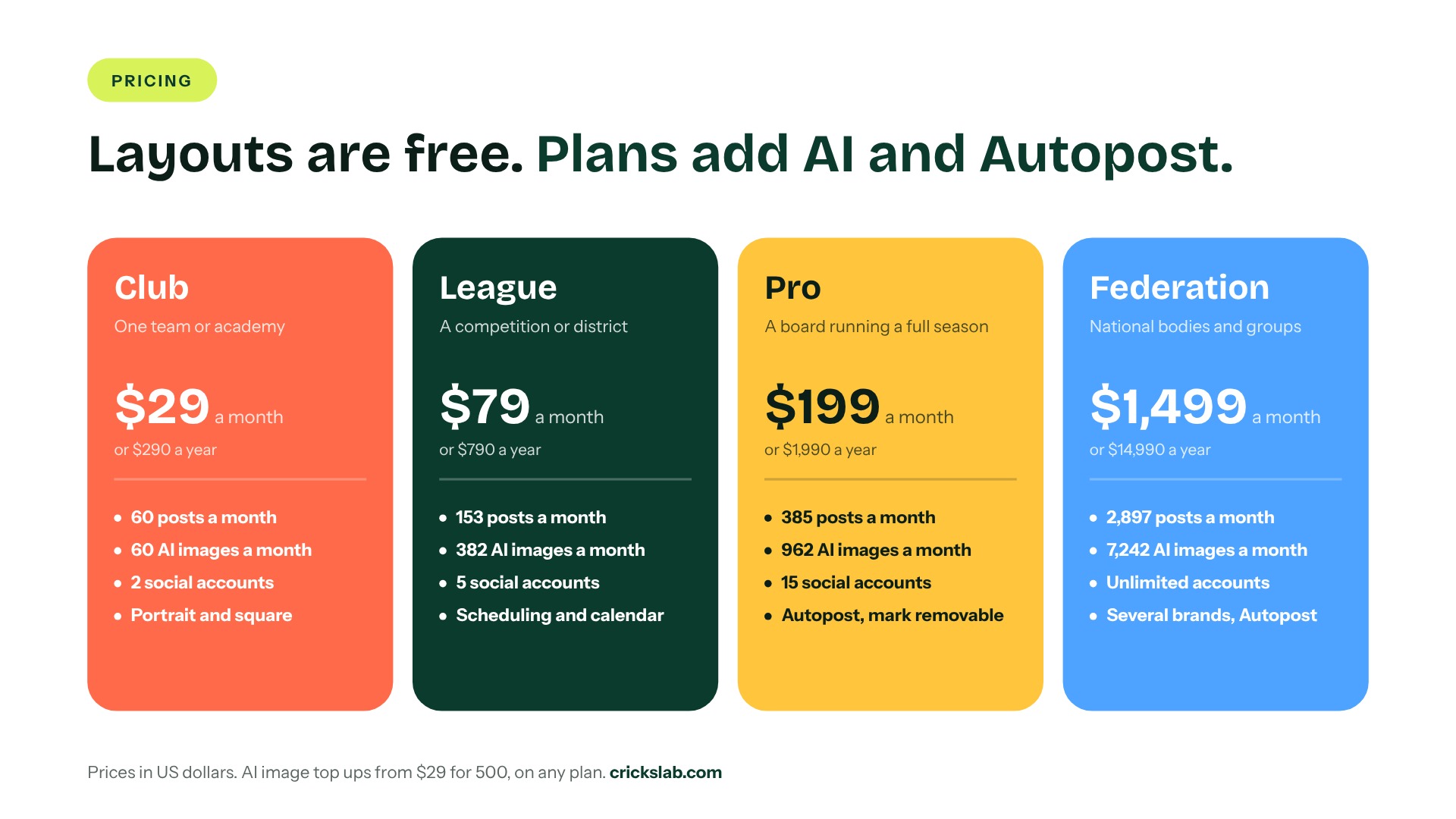
Club: $29 a month, or $290 a year For one team or academy. 60 posts and 60 AI images a month, 2 social accounts, portrait and square formats.
League: $79 a month, or $790 a year For a competition or district. 153 posts and 382 AI images a month, 5 social accounts, scheduling and the calendar.
Pro: $199 a month, or $1,990 a year For a board running a full season. 385 posts and 962 AI images a month, 15 social accounts, Autopost, and the Crickslab mark can be removed.
Federation: $1,499 a month, or $14,990 a year For national bodies and multi brand groups. 2,897 posts and 7,242 AI images a month, unlimited social accounts, Autopost and several brands under one account.
Pay yearly and you get twelve months for the price of ten. AI image top ups start at $29 for 500, on any plan. Current prices are on the Artwork Studio page.
Artwork Studio reads the same records as the rest of the Crickslab ecosystem: tournament management feeds fixtures, results and tables, free scoring in the app provides the last ball, and player profiles hold the figures behind every award. If you run a competition on Crickslab, your next match is already a post.
See Artwork Studio on your own competition, with your own logos and players. Book a demo and our team will walk you through it, from the first post to Autopost.
Frequently asked questions
What is Crickslab Artwork Studio?
Crickslab Artwork Studio is the tool for cricket poster design and social posting. It turns a competition’s own match records into posters, results, scorecards, standings and awards, checks every post for quality, and can publish to Instagram, Facebook and X automatically.
Is Artwork Studio the same as Crickslab Social Media Automation?
Yes. Social Media Automation, Media Studio and the AI Artwork Studio are now one product called Artwork Studio. The old Social Media Automation address leads to Artwork Studio.
How is Artwork Studio different from a cricket poster maker?
A cricket poster maker gives you a template and leaves the typing to you. Artwork Studio reads the match record, fills in names, figures and photos, checks every post against eight rules, and can post it when the match ends.
Is Artwork Studio free?
Layouts are free and unlimited on every plan. Paid plans start at $29 a month for the Club plan and add AI artwork, more posts, more social accounts, scheduling and Autopost.
Can Artwork Studio post without us?
Yes, on the Pro and Federation plans with Autopost. You write a rule, such as posting the result when a match ends, and choose whether each rule posts on its own or asks for approval first.
What does the quality check look for?
It checks that text is at least 22px on a 1080px canvas, that contrast is strong enough to read outdoors, that names are never cut, that the competition’s own logo heads the post, and that there are no placeholders, nothing over a face and the right event date.
Can sponsors appear on every post?
Yes. One brand band holds up to 24 sponsor logos, links to ten platforms and a hashtag, on every layout and format, without covering the artwork.
Can it make man of the match and player of the week posters?
Yes. Result posts include the player of the match, and awards can be made for a day, week or month for batters, bowlers, all rounders, players, teams and umpires, with winners suggested from the scorecards.
Do we need a designer?
No. The layouts are built to the standard of a professional league feed, and every post is checked before it can be downloaded or published. A media manager picks the match and the moment, and the studio does the rest.