Cricket Academy Management Software: What an Academy Head Should Look For
What cricket academy management software should do: batches, sessions, attendance, fees, progress reports and a parent app. Plus a checklist before you choose.
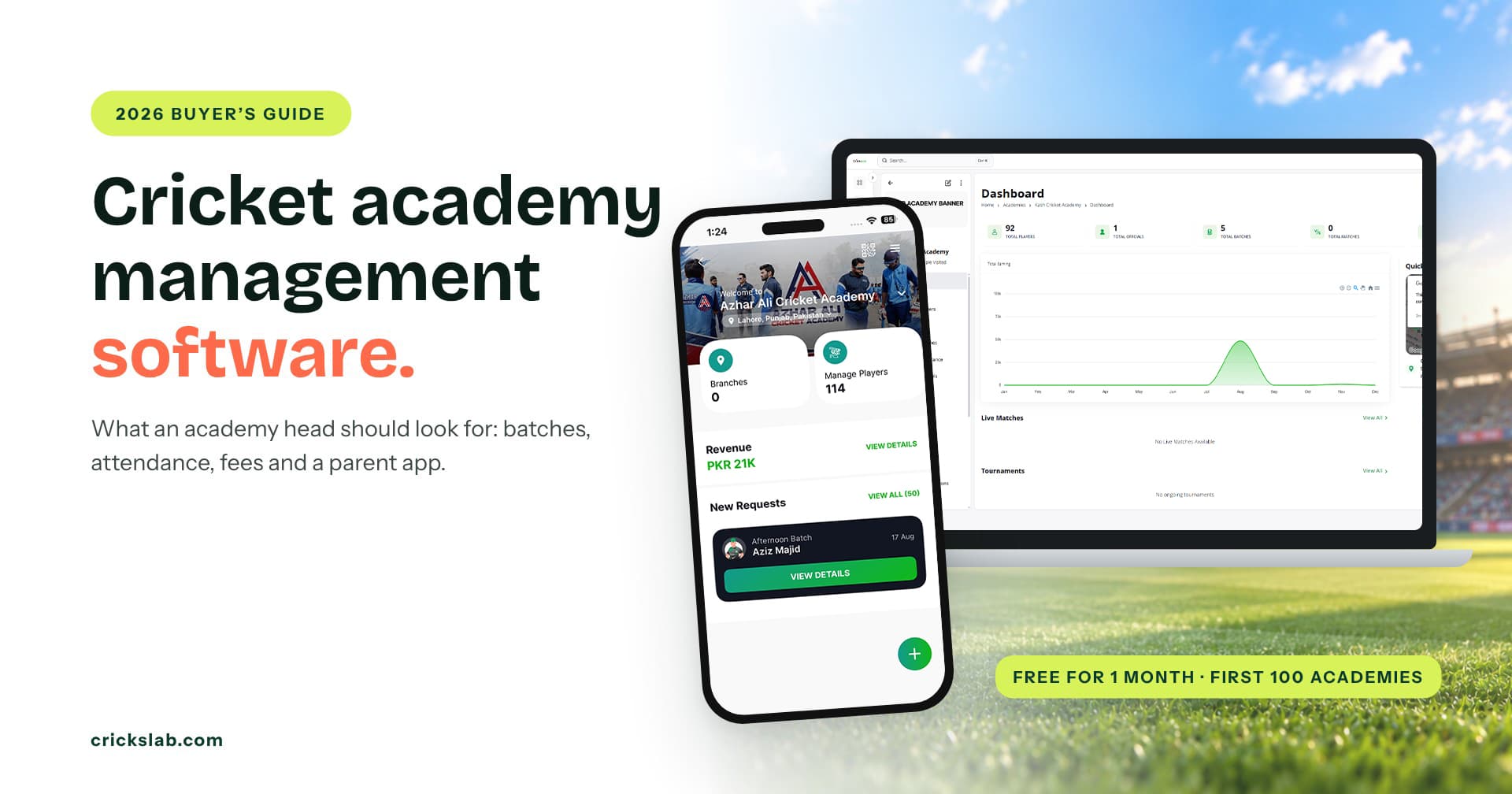
Cricket Academy Management Software By Crickslab
Guide for digitalizing your Academy
It is 6 pm on a Monday at Greenline Cricket Academy. Nadir Hussain, the head coach, is holding a paper register for the Under 13 batch. His phone has 14 unread messages. Three are fee screenshots, two are parents asking about Saturday, and one asks the question every academy dreads: “How is my son actually doing?”
Nadir knows the answer. He has watched Ayaan Qadir bat twice a week for a year. But it lives in his head, not anywhere a parent can see it.
That is the job cricket academy management software is built for. This guide explains what it is, the eight things it should do, how to move your academy onto it, and five questions to ask before you choose. At each step you will see how Crickslab does it.
What Is Cricket Academy Management Software?
Cricket academy management software is one system that runs the daily work of an academy: players, batches, training sessions, coaches, attendance, fees and progress. Coaches use it on the ground, the office uses it for payments, and parents use a parent app to see what is happening.
It is different from general player management. A player management system is built around one player’s record across clubs, leagues and seasons. Academy software is built around the week: who trains when, with which coach, who turned up and who has paid.
Signs Your Academy Has Outgrown Paper And Whatsapp
Most academies start with a register, a spreadsheet and a group chat. That works for one batch. It stops working when you see these signs:
Fees slip through. You find out in March that four families have not paid since January.
Attendance lives in one coach’s bag. When that coach is away, nobody knows who has been turning up.
Parents ask the same question every week. And each answer takes a coach away from the nets.
Good players leave. Not because the coaching is poor, but because the family never saw the progress.
If two or more of these sound familiar, it is time for proper software.
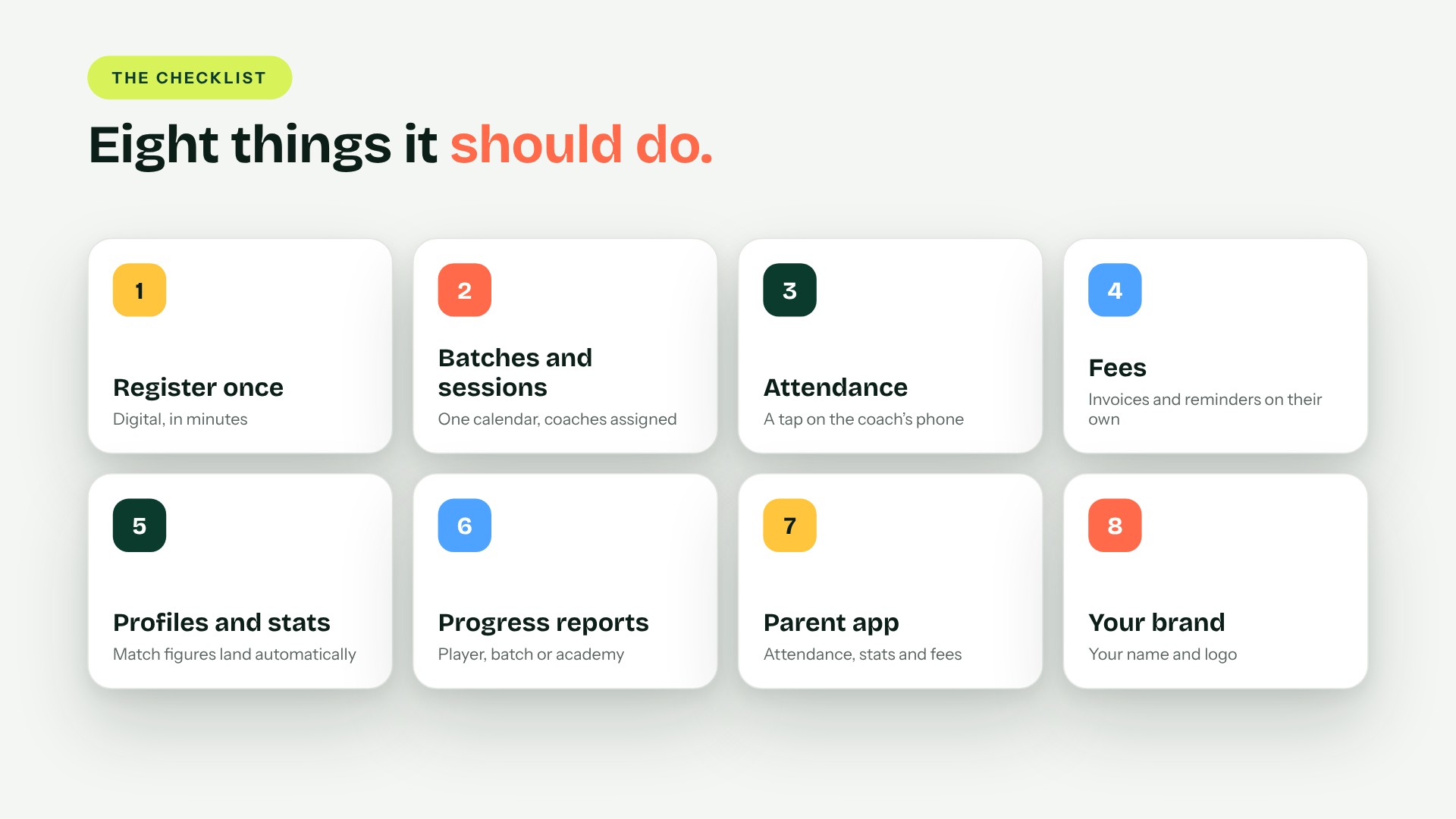
Eight Things Cricket Academy Management Software Should Do
1. Register every player once
Paper forms get lost and spreadsheets get copied. Good software takes a player’s details once, digitally, and keeps them for every season after.
Crickslab gives academies a quick digital registration process, so a new player is set up in minutes and never filled in twice.
2. Organise batches and sessions
Under 11s on Tuesday, the fast bowling group on Thursday, the senior squad at the weekend. The software should hold every batch and every training session in one calendar.
In Crickslab you create batches and training sessions in a few clicks, and assign coaches to each one based on their expertise. This is where it works as cricket coaching software, not just an office tool.
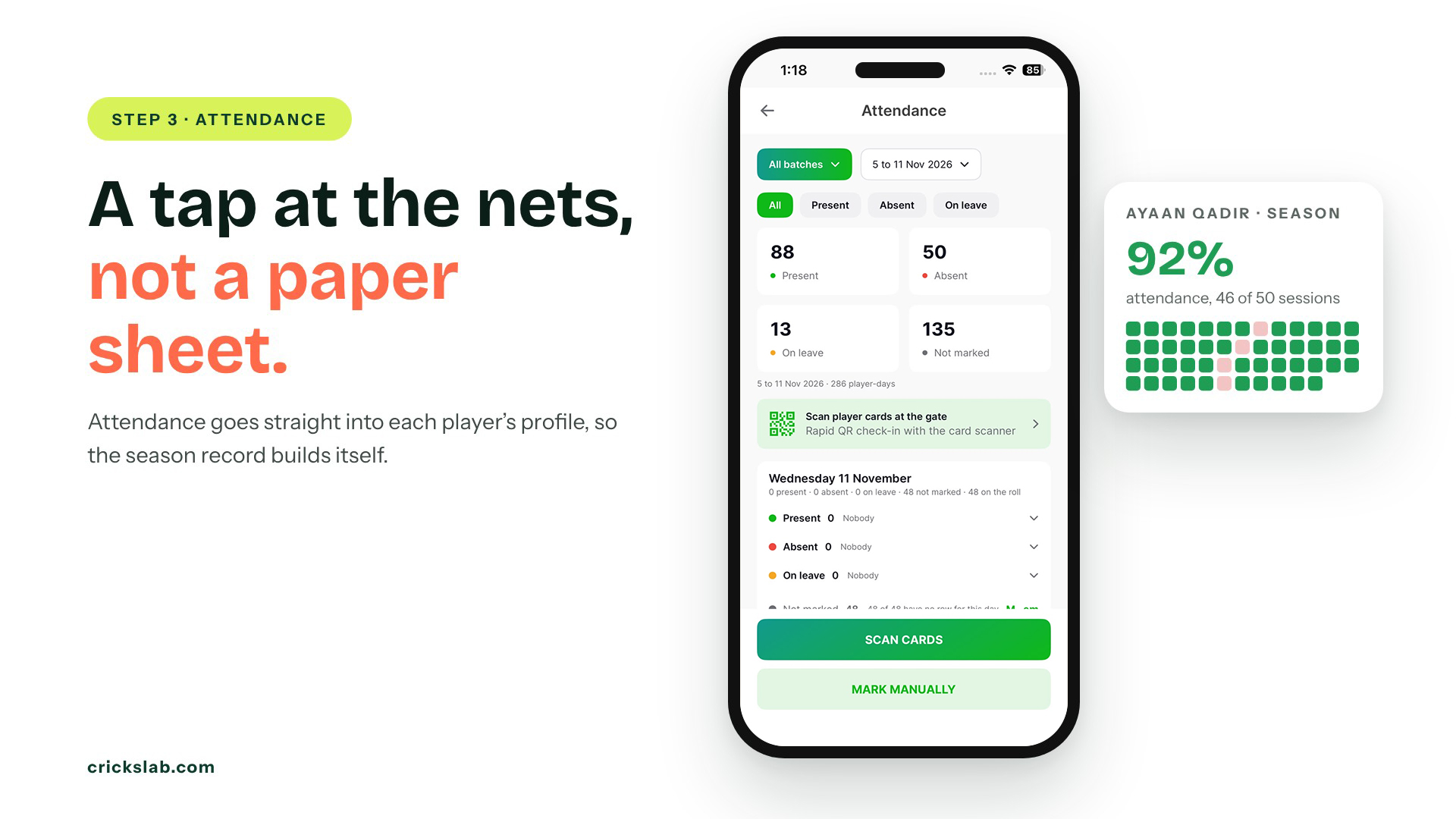
3. Take attendance in seconds
Cricket academy attendance should be a tap on the coach’s phone, not a paper sheet typed up on Sunday night.
In Crickslab, attendance goes straight into each player’s profile, so the record builds itself over the season.
4. Collect fees without chasing
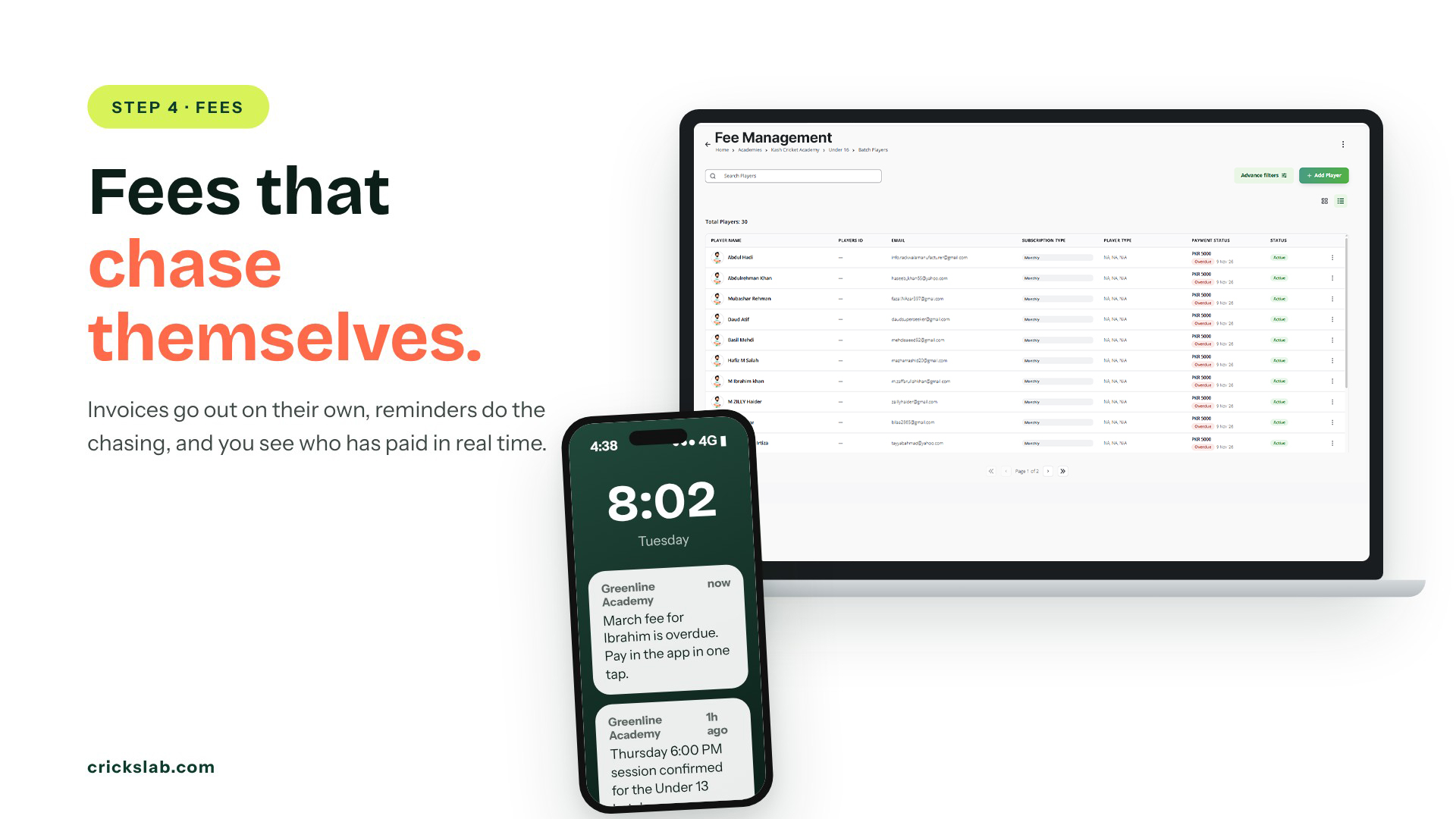
Fees are where most academies lose time and money. Cricket academy fee management means invoices that go out on their own, reminders that do the chasing, and a clear view of who has paid.
Crickslab automates fee collection and invoicing, sends smart payment reminders to parents and players, and tracks payments in real time.
5. Keep a profile and stats for every player
A coach’s notes matter, but so do the numbers. When the academy plays matches, the figures should land on the player’s profile without anyone typing them.
Scoring in the Crickslab app is free, and every match an academy scores feeds the player’s runs, wickets and averages on their profile.
6. Turn it all into player progress reports
Player progress reports are what parents ask for and what keeps players at the academy. The software should build them from attendance, stats and coach input, for one player, a batch or the whole academy.
Crickslab’s performance reports work at all three levels: the individual, the group and the academy.
7. Give parents their own view
A parent app for cricket academy families stops the 6 pm message flood. Parents see attendance, stats and fee status for their own child, any time.
In Crickslab, parents and players can open their profiles, follow training sessions and see progress, and they get notified about sessions, fee payments and player updates.
8. Look like your academy
Parents trust what looks professional. The cricket academy app should carry your name and logo, not someone else’s.
Crickslab supports custom academy branding with your logo. For posts parents share, see why academies use Artwork Studio.
Who Uses Cricket Academy Management Software?
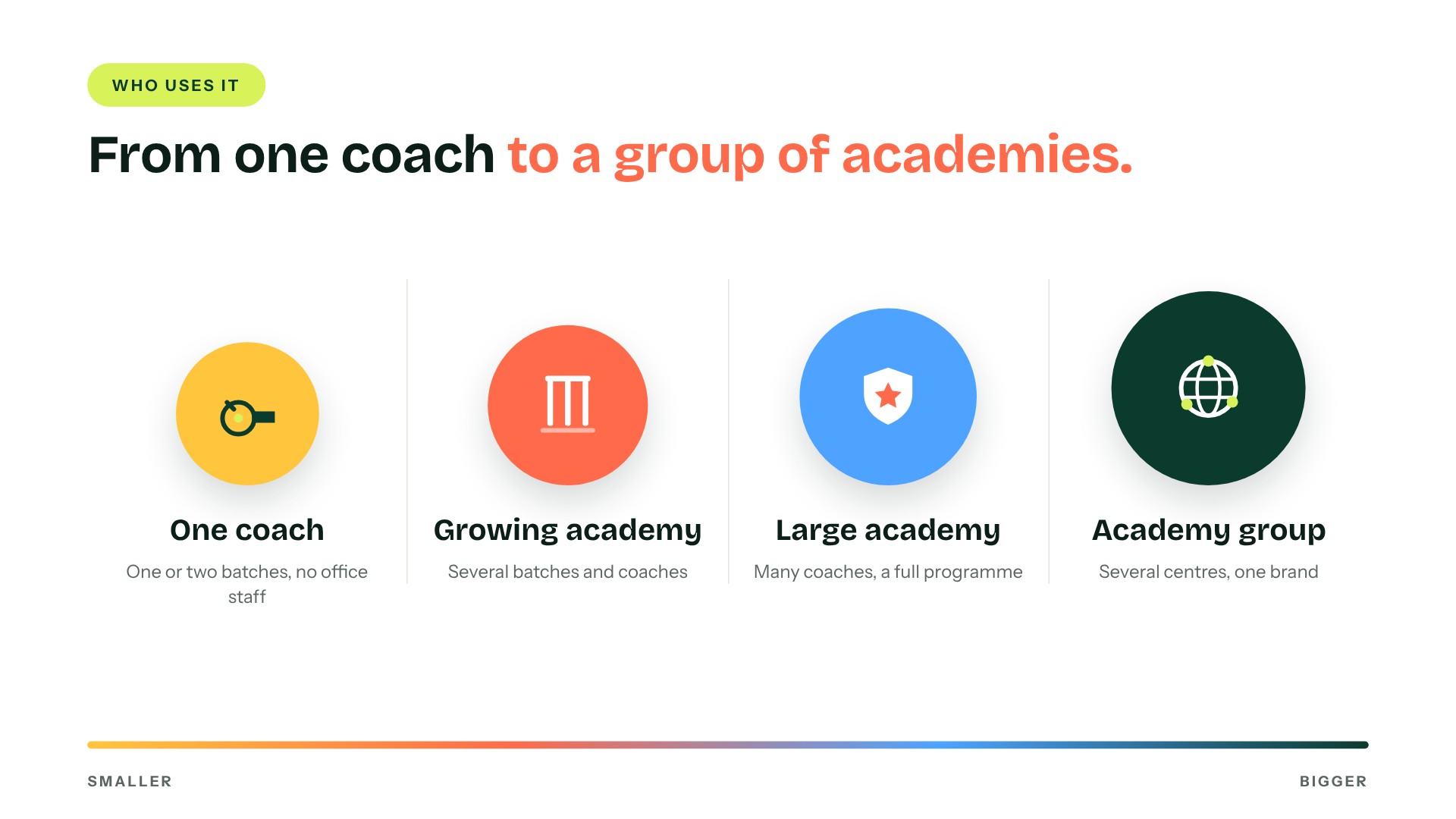
A single coach with one or two batches. Attendance and fees in one place, and no more notebooks.
A growing academy. Several batches and coaches, with parents expecting regular updates.
A large academy. Many coaches, a full training programme and detailed reports.
A group of academies. Several centres under one brand, managed from one account.
Crickslab plans are sized by the number of students, from up to 100 students to more than 500, with a custom build for multi club or district setups. Crickslab already runs academies in India, Pakistan and other countries.
How To Move Your Academy Onto Crickslab
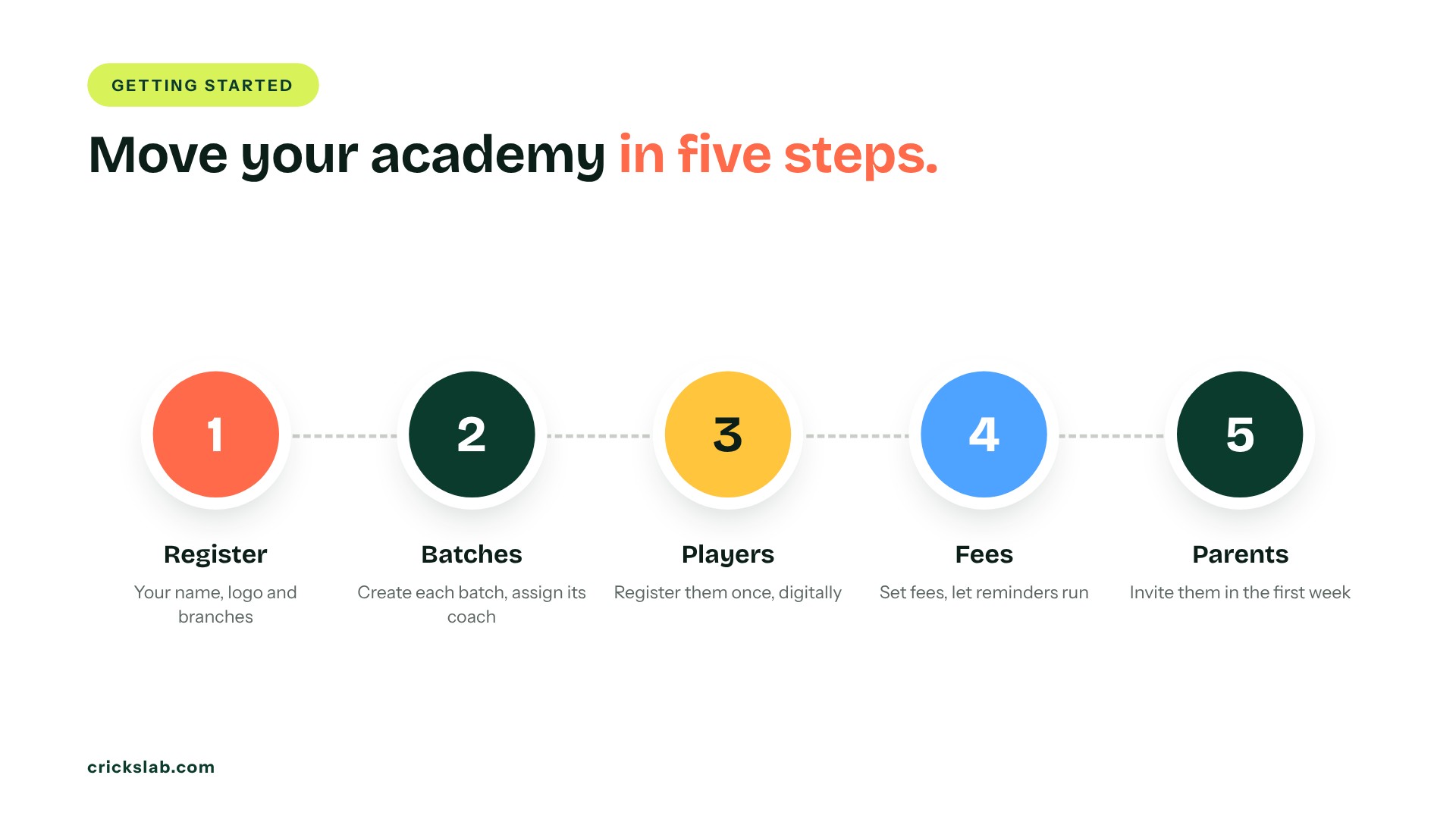
- Register the academy. Add your name, logo and branches.
- Set up batches and coaches. Create each batch and assign its coach.
- Add your players. Register them once, digitally.
- Switch on fees and reminders. Set the fee for each batch and let the invoices and reminders run.
- Invite parents. They see attendance, stats and fees from the first week.
Most of the work is in steps 2 and 3. After that, the system runs the routine and the coaches get back to coaching.
Academy management on Crickslab is free for one month for the first 100 academies. Register your academy and run your next batch with digital attendance, fees and a parent app. Running several centres? Book a demo.
Frequently asked questions
What is cricket academy management software?
It is one system for running an academy: player registration, batches, training sessions, coaches, attendance, fees and progress reports, with a parent app so families can follow along.
Can parents see their child’s progress?
Yes. In Crickslab, parents can see attendance, stats and fee status for their child and are notified about sessions, payments and updates.
Does it collect fees automatically?
Crickslab automates fee collection and invoicing, sends payment reminders and tracks payments in real time.
How much does cricket academy management software cost?
Crickslab plans are sized by the number of students, from up to 100 to more than 500. The first 100 academies get academy management free for one month.
Is it only for big academies?
No. A single coach with one batch gains the most time back, because they have no office staff at all.